
iPhone Screenshots

Description
iPhone's volume button only gives you 16 steps. Sasha gives you 100.
Fine-tune your volume with widgets, Siri Shortcuts, and more.
[ What Sasha does ]
# Fine-tune your volume
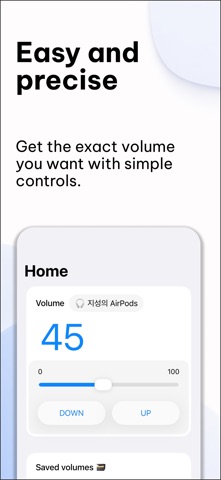
・ Adjust volume with a slider or UP/DOWN buttons for perfect precision.
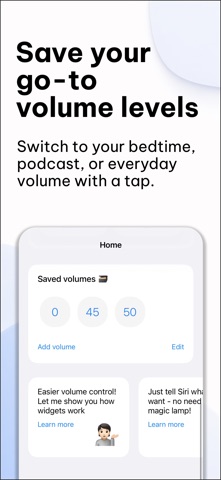
・ Save your favorite volume levels and switch with one tap.
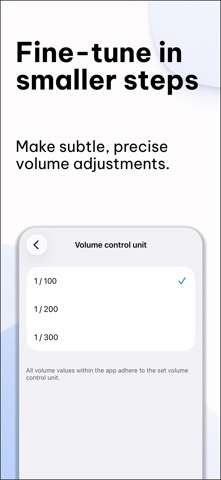
・ Go beyond the standard 16 steps with 1/300 ultra-precise volume control.
# Always know your volume
・ See your exact volume level in real numbers — no guessing.
・ The more you refine your volume steps, the more precise the numbers get.
[ Sasha Pro features ]
・ Live Activities — fine-tune your volume while using other apps or from the Lock Screen. (iOS 16.1+; available on Dynamic Island-supported devices.)
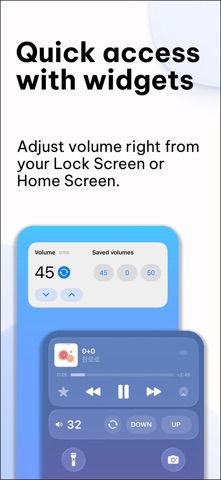
・ Home screen widgets — adjust volume without opening the app.
・ Siri Shortcuts — fine-tune your volume with just your voice. (iOS 13+)
・ AirPlay & Bluetooth volume control for AirPods and Beats.
# Notice
・ Fine-tune volume control is optimized for Apple audio devices
(AirPods, Beats lineup).
・ Third-party devices may have limited support.
[ Contact ]
・ [email protected]