
iPhone Screenshots

Description
Small Biz Budget is a simple, low-cost bookkeeping app and business expense tracker for freelancers, sole proprietors, and small business owners who want to manage income, expenses, and account balances without complicated accounting software.
No account registration. No bank connection. No unnecessary setup.
Start for free right after installing — everything from daily entries to reports is done in this one app.
Record income and expenses, track business spending, check monthly reports, manage balances, and export your records to CSV for Excel. Ideal if you currently manage your business finances with spreadsheets, paper notes, or overly complex tools.
Recommended for:
- Freelancers, self-employed workers, and sole proprietors
- Small business owners who want simple bookkeeping
- Users looking for a business expense tracker
- Users who do not want to connect bank or credit card accounts
- People who manage business records with Excel or paper
- Users organizing income and expense records for tax preparation
- Anyone looking for a low-cost alternative to complicated accounting software
Features:
- Record income and expenses quickly
- Track business spending
- Transaction search
- Monthly income and expense reports
- Account balance tracking
- Calendar view
- Customizable accounts and categories
- CSV export for Excel
- Print transaction records
- Multiple languages and currencies
- 17 selectable theme colors
- Automatic recurring transactions (Optional Plan)
- Manage up to 5 different ledgers (Optional Plan)
- Home Screen widgets
- iCloud backup
- Passcode lock with Face ID and Touch ID
Detailed Features:
◆ Income & Expense Entry
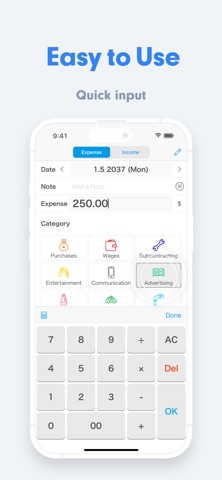
Tap easy-to-use account buttons and enter amounts quickly. A convenient built-in calculator makes numeric input simple. You can also record multiple transactions smoothly with automatic entry mode. Save frequently used notes and transaction descriptions for even faster entry.
◆ Calendar
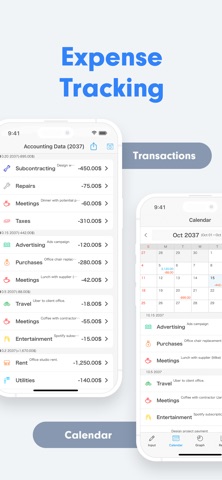
Quickly view your daily income, expenses, and financial records from the calendar. Customize the starting weekday, month-start day, and closing date to match your business cycle. Add, edit, or delete transactions directly from the calendar view. Set initial balances and track cumulative balances and monthly carryover.
◆ Reports
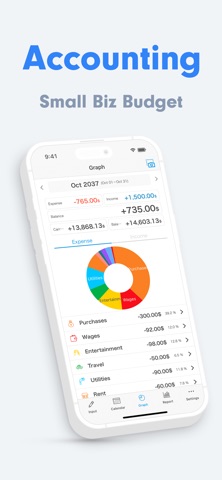
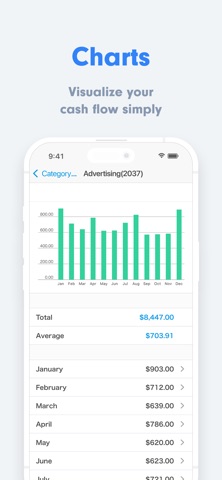
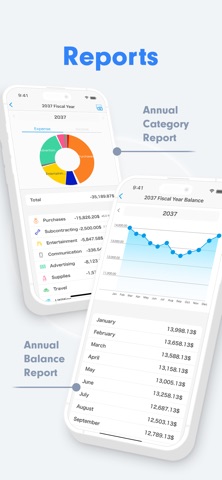
Review your monthly income and expenses with clear charts and reports. Easily understand spending trends, income flow, business expenses, and activity by category.
◆ CSV Export
Export your records as CSV files that can be opened in Excel, including journal entries, records by category, and records by vendor. You can also print records directly from the app.
◆ Customizable Accounts & Categories
Create and edit your own accounts, categories, and notes to match the way you manage your small business, freelance work, or sole proprietorship.
◆ Multiple Languages & Currencies
The app supports multiple languages and currencies, so you can keep your business records in your preferred currency.
◆ Theme Colors
Personalize the app with 17 selectable theme colors, from bright, friendly tones to calm business-style shades.
◆ Secure Passcode Lock
Protect your financial information with a passcode lock. Face ID and Touch ID are also supported.
◆ iCloud Backup
Back up your data to iCloud and restore it when you move to a new iPhone. You can also use your data across multiple devices, such as iPhone and iPad.
Plans:
- Trial Plan (Free): Use almost all features for free, with limits on the number of entries and CSV exports. No time limit.
- Standard Plan (subscription): Unlimited entries, unlimited CSV exports, and annual category reports.
- Optional Plan (subscription): Automatic recurring transactions, up to 5 ledgers, and exclusive theme colors.
Contact & Support:
For questions or feedback, please contact us from the "Contact Us" section in the app settings.
[Terms of Service]
https://komorebi-studio.com/tos_en.html
[Privacy Policy]
https://komorebi-studio.com/policyredirect.html