
iPhone Screenshots





Description
Configure solutions using augmented reality to visualize 3D models in real environments. Select compatible products with guided setup. View virtual displays of safety systems in your workspace.
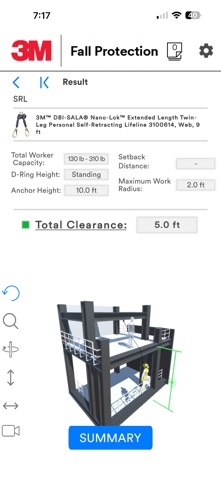
The 3M™ Fall Protection Tool harnesses the power of configuring solutions and augmented reality, enabling you to virtually insert accurately scaled 3D models into your unique work environments.
Configure your solutions with ease and confidence using the integrated configuration engine.
• Guides you through the product selection process
• Ensures that a compatible fall protection system is created
Innovative features create a world-class experience:
• Interactive adjustment mode allows you to manipulate 2D and 3D models in real time
• Virtual dimensioning allows product dimensions to be shown or hidden
• Safe working area tool allows you to visually see the fall protection coverage area
Sharing your unique creations is simple:
• Built-in image capture tool allows you to capture your configurations in action
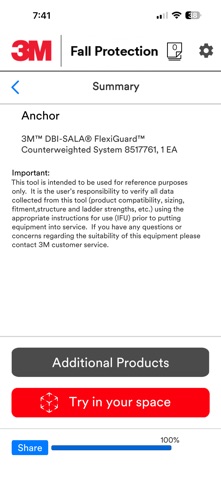
• A product summary is automatically generated providing key system data
• Select Vertical Lifeline solutions for multiple scenarios
• Share your solutions quickly via email with the touch of a button
Current portfolios available in the app include
• 3M™ DBI-Sala® Confined Space Solutions
• 3M™ DBI-Sala® FlexiGuard™ Solutions
• 3M™ DBI-Sala® Self-Retracting Lifelines
• 3M™ DBI-Sala® Lanyards
• 3M™ Protecta® Self-Retracting Lifelines
• 3M™ DBI-Sala® Vertical Lifeline Systems
More portfolios will continue to be added to expand the capabilities of the tool.