
iPhone Screenshots


Description
iGroup makes grouping for gatherings, classes, events, and teams faster, clearer, and fairer. From inviting participants to sharing results, it is all easy from your phone.
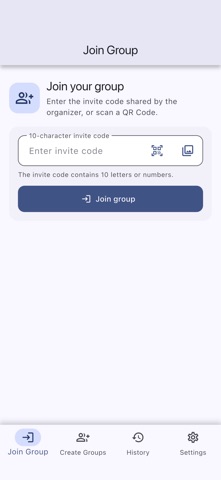
Invite Codes & QR Codes: Easy to Join
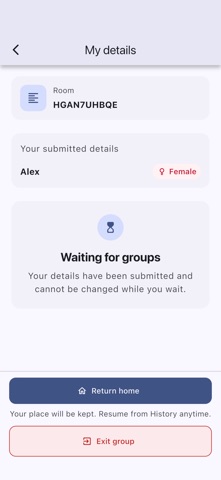
After creating a group, simply share a 10-character invite code or QR Code. Participants can join from their phones. Once everyone has arrived, draw groups right away and spend less time taking attendance, making lists, and double-checking details.
Three Modes for Every Occasion
• Invite Code mode: Great for gatherings, classes, and larger events where everyone joins from their own phone.
• Manual mode: Create a participant list directly when one organizer is handling the setup.
• Quick mode: Set the participant count and grouping preferences to get results fast—no names required.
Group Your Way
Set a maximum group size or choose a more balanced option that avoids one-person groups. When needed, enable gender balance to better suit your activity.
Clear Results at a Glance
When grouping is complete, clear group cards show members and assignments at a glance—perfect for announcing results or sharing them with everyone.
Local Modes for Peace of Mind
Manual and Quick modes stay entirely on your device. They do not create a cloud room or upload participant data.
Leave paper slips and messy lists behind. With iGroup, save your time for what matters most.