
iPhone Screenshots


Description
◆Fleet Viewer
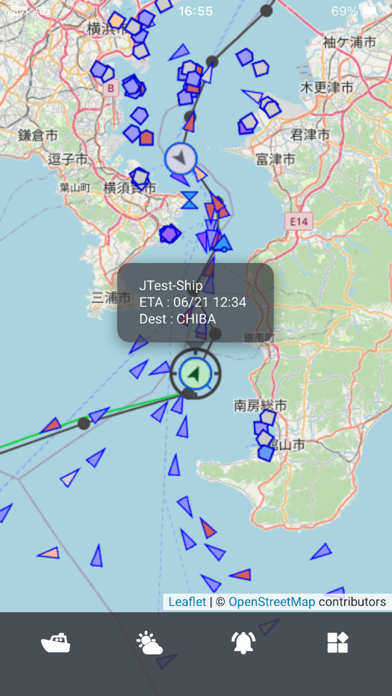
Quickly understand your managed ships status with the Fleet Viewer. Visualize all your ships on the map and get more details about ship name, destination, ETA, and active route with a simple tap on the ship's icon.
◆Ship List Display
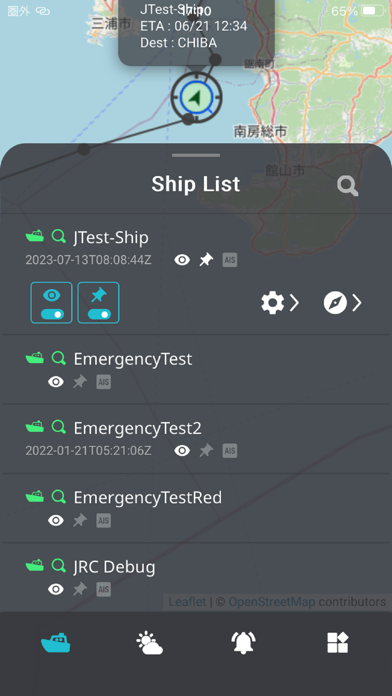
Monitor all the ships under your management with the Ship List, displaying the ship name and the last received time of data.
◆Conning Display
Utilize the Conning Display for sensor data, including latitude, longitude, and Speed Over Ground (SOG), as well as alert information.
◆Display for Track/ AIS / Voyage Information
With the Display for track/ AIS / Voyage Information , visualize received track, AIS and Voyage information (route / user chart) on the map.
◆Emergency / Cross Track / BAM Alert Notifications
Real-time notifications are provided for Emergency, Cross Track, and BAM Alerts occurring on managed ships.
◆Display for Emergency / Cross Track / BAM Alert history
In case of Emergency, Cross Track, and BAM Alerts, get notifications of the situation.
◆Weather & Oceanographic Display
Benefit from the Weather & Oceanographic Display, providing meteorological and oceanographic information such as wind speed and wave heights.
◆Chatting
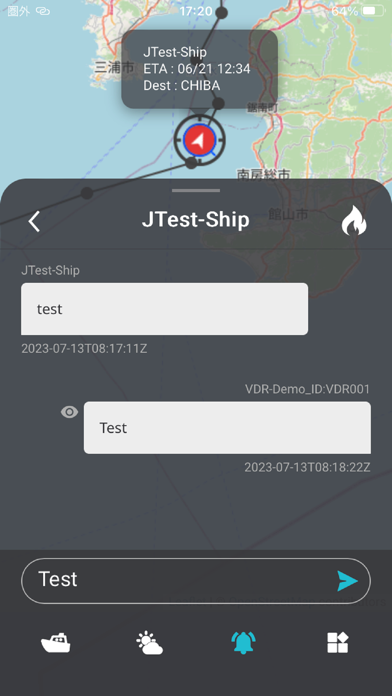
You can exchange messages in real time with this app, J-Marine NeCST onboard ships, and the Sail Assist app. It supports rapid communication during both normal operations and emergencies.
◆Navigational Warnings Display
You can now display navigational warnings information on the map.
◆ECA Display
You can now display ECA (Emission Control Area) on the map.
【Notes】
・This app requires a separate Smart Ship Viewer (SSV) usage agreement.
・This app requires either J-Marine NeCST, J-Marine Box, or a VDR from JRC installed on the ship.