
PDF Archiver: Scan & Archive
Scan, tag, and archive documents securely
Julian Kahnert
iPhone Screenshots



Description
Organize digital documents by scanning and tagging them as PDFs. Perform intelligent text recognition locally on iPhone or iPad. Sync files via iCloud Drive. Store scanned documents without cloud processing.
An archive that outlasts the app. Your documents are PDFs in folders sorted
by year — with the date, a description and tags written into the filename.
Readable on any machine, with or without this app.
HOW IT WORKS
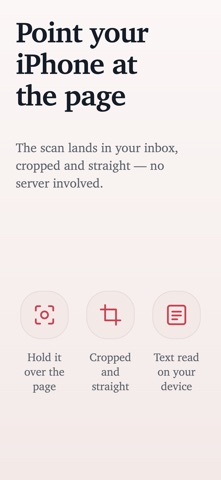
• Point your iPhone at the page. The scan lands in your inbox, cropped and
straight.
• Apple Intelligence suggests the date, a description and tags — on your
device.
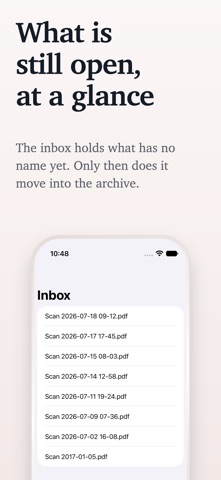
• Check them, fix what's off, save. The document is renamed and moved to your
archive.
• Find it again in PDF Archiver, in Spotlight, in the Finder, or in whatever
file manager you happen to open — because the search terms are part of the
filename.
Already have PDFs? Drop them in — from your scanner, a mail attachment, your
downloads folder.
WHY PDF ARCHIVER
• Everything stays on your device. Text recognition and suggestions run
locally. There is no PDF Archiver server.
• No account. No sign-up, no password, no email address.
• You choose where files live: iCloud Drive, a local folder, or any folder
you point the app at.
• No lock-in. Your archive is a folder of PDFs. Copy it to a backup drive, a
NAS, a Windows machine — it stays readable.
• Open source. The code is on GitHub.
• A person answers. Questions go to one developer, not a ticket queue. Most
get a reply within a few hours.
ON EVERY DEVICE
iPhone, iPad, Mac and Apple Vision Pro. Widgets show what's still untagged.
Shortcuts automate what you do often. The share sheet takes documents from
any other app.
BUILT SINCE 2018
First release in February 2018, still shipping updates today. One developer,
eight years.
"The Mac app uses a simple file name convention, which simply notes keywords,
data and descriptions in the file name of the documents and can therefore be
used largely independently of the operating system, cloud provider and Mac or
PC application." — iFun
TRY IT, THEN BUY IT
Two weeks free, no account and no credit card. After the trial you can
subscribe — or buy the lifetime licence and keep the app. Prices are listed
at the top of this page.
Cancel whenever you like. Your documents stay readable either way — they are
just PDFs in a folder.
QUESTIONS
Answers to the most common ones: pdf-archiver.io/faq
Write to us: [email protected]
The code is at github.com/PDF-Archiver/PDF-Archiver
Privacy policy: pdf-archiver.io/privacy
Terms of use: pdf-archiver.io/terms