
Offline Music Player - Mix
Stream , download tracks, create playlists
Artur Remizov
iPhone Screenshots


Description
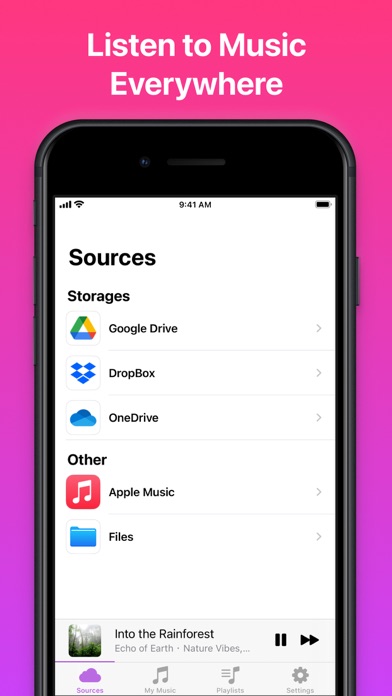
Stream and download from Google Drive, Dropbox, OneDrive, iCloud Drive, and Apple . Import songs via WiFi, iTunes File Sharing, or AirDrop. Organize into playlists and play .
Reimagine the way you enjoy your music. Download the most advanced music streamer, downloader, and playlist creator to take full control of your music!
ADVANCED MUSIC PLAYER & DOWNLOADER
Stream or download your favorite music from the cloud. Import songs via WiFi transfer, iTunes File Sharing, or AirDrop. Organize your music the way you want and enjoy offline playback while traveling.
Key Features:
• Stream and download music from Google Drive, Dropbox, OneDrive, iCloud Drive, and Apple Music Library.
• Offline music player – Save songs and listen without an internet connection.
• Supports all major formats, including MP3, M4A, FLAC, WAV, AAC, and AIFF.
• Advanced playlist management – Create, edit, and organize playlists effortlessly.
• Audio tag editor – Edit song metadata for better organization.
• Import files from other apps – Easily add songs to your library.
• Folders support.
• Play downloaded DRM-protected audio from Apple Music Library.
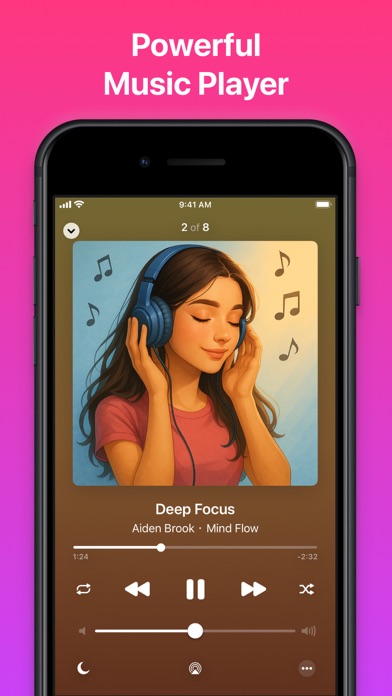
• Background play and AirPlay support – Listen while using other apps or cast to speakers.
• Sleep timer – Set a timer to stop playback automatically.
• USB and WiFi transfer – Import music seamlessly from your computer.
• Side View & Split View for iPad – Multitask with ease.
• Rewind songs with long-press on next/previous track buttons.
• Quick actions menu support for faster access to key features.
• Dark mode – Enjoy a sleek, comfortable interface.
Download Mix now and experience the best way to enjoy your music — online or offline.