
iPhone Screenshots



Description
Downloads for iMessage. Access via iMessage by composing a new message, tapping the Store icon, opening the drawer, and selecting the . Send with a single tap.
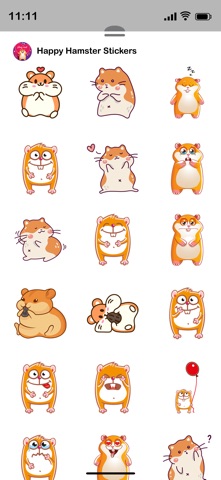
Make your conversations more fun and expressive! Send creative stickers to friends and family directly inside iMessage.
How to Download and Install:
1. Open the Messages app on your iPhone.
2. Open any conversation or start a new message.
3. Tap the + button next to the message field to open the iMessage app drawer.
4. Tap Store.
5. Find the sticker pack you want.
6. Tap Get to download.
Once installed, the sticker app will automatically appear in your iMessage app drawer and is ready to use.
In Case of Already Installed:
- If the sticker app is already installed on your device, it will automatically appear in your iMessage app drawer.
- Tap the + button and select Stickers to view it.
- If needed, tap Edit to reorder or manage its position. No additional setup is required after installation.
How to Reorder Sticker Apps:
- On the Manage Sticker Apps screen, press and hold the three-line icon next to any app.
- Drag it up or down to change its position.
- Apps at the top appear first in the iMessage sticker drawer.
- Tap Done to save.
Remove Unwanted Sticker Apps:
-While in Edit mode, remove unwanted sticker apps from the list.
-This will hide them from your iMessage sticker drawer.
-After organizing your apps, tap Done to save your changes.
How to Send Stickers:
-Tap any sticker to instantly send it in your conversation.
-Touch and hold a sticker to drag and drop it onto a message bubble or photo.
-You can send stickers alone or combine them with text and emojis.
-Stickers can be placed anywhere in the chat to create fun reactions.