
iPhone Screenshots




Description
"Every great photograph and painting starts with mindful composition."
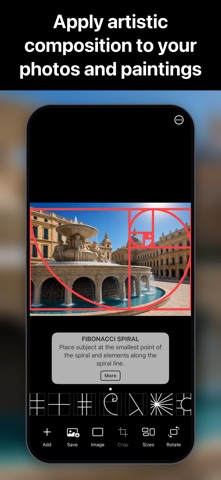
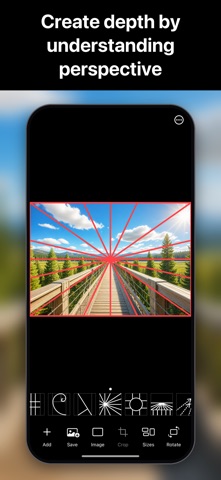
Wise Photos & Painting will improve your photos and paintings forever! Wise Photos & Painting overlays 15 artistic composition rules on your own photo or canvas. You simply align the elements of your scene with any of the 15 artistic compositions. Artists have used these compositions for centuries — photographers, painters, and designers alike — and now they are available to you easily and instantly on your iPhone and iPad. Each artistic composition comes with helpful tips, guides, and explainer videos. Wise Photos & Painting guides you to make your photos and paintings beautiful!
NEW! Full control over the artistic composition overlay — freely control the size, ratio, and position to fit any canvas or photo, or use industry-standard ratios.
NEW! Harmonic Armature artistic composition. The Dynamic Symmetry and Harmonic Armature artistic compositions are preferred by artists and painters!
We have spent years studying artistic composition, and we're happy to bring you this new Wise Photos & Painting app. These are the composition rules currently in the app:
1. Rule of Thirds (FREE)
2. Symmetry (FREE)
3. Phi Grid
4. Fibonacci Spiral
5. Golden Triangle
6. Vanishing Point
7. Framing Depth
8. Landscape Depth
9. Leading Lines
10. Lines and Patterns
11. Fill the Frame
12. Negative Space
13. Left to Right
14. Dynamic Symmetry (preferred by artists and painters)
15. NEW! Harmonic Armature (preferred by artists and painters)
SUPPORT:
For support, go to https://www.digiguys.com
Q: Is the Wise Photos app free?
A: The Wise Photos app is a freemium app. You get to use the first 2 artistic composition rules for free, the Rule of Thirds and Symmetry. This means that you can save your photos with the free composition rules.
Q: How can I use all the composition rules?
A: You can purchase the Composition Rule Package, which will give you access to all 15 composition rules. You only need to purchase the package once, and you will own it forever with no subscription needed.
Q: How can I purchase the Composition Rule Package?
A: You can tap the Options button (the circle with three dots) at the bottom right corner of the screen, then tap Get Composition Rule Package.
Q: Do I need a credit card?
A: No, the purchase will be processed by Apple via your iTunes account.
Q: I purchased Wise Photos in the past. Do I have to purchase the Composition Rule Package?
A: No, since you purchased Wise Photos in the past, you will have access to all 15 composition rules. You MUST select Restore Purchases from the Options menu.
Q: I would like to use a camera with composition rules. Do you have an app for this?
A: Yes, we have the Wise Camera app, which will let you apply composition rules in real time while taking photos. You can download it here https://apple.co/2xgUnEP
Q: I want to suggest a composition rule. How do I do this?
A: In the Options, select Send Feedback. You can also go to our website for more information https://www.digiguys.com
MORE APPS:
Check out all our apps at https://digiguys.com
FOR IN-DEPTH ARTISTIC COMPOSITION RULES:
Check out our Artistic Composition site https://artisticomposition.com
FACEBOOK PAGE:
Join our Facebook Page for tips, ideas, support, and much more... be part of the community!
https://www.facebook.com/digiguysapps