
SpendMon - Expense Tracker
Track expenses by date and category
GwanRyel Lee
iPhone Screenshots



Description
Track expenses with sorting by date and expenditure. View monthly and search through all months. See the day of the week for each entry. Access a widget showing current date, monthly total, and average daily .
A simple expense tracker and budget book for keeping up with what you spend each month!
• Every feature, no payment
Statistics, themes and backups are all included — nothing is locked behind a payment.
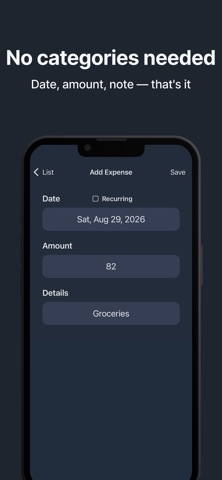
• Three-second entry, no categories
Just enter the date, the amount and a note. There are no categories to pick or sort through, so you can log a purchase the moment you make it. Save the bills you pay every month as recurring entries.
• Home screen widgets
See this month's spending, your daily average and the projected total for the month without opening the app.
• Yearly spending statistics
Compare every month on a chart and see at a glance how much the year has added up to.
• Backup without an account
Export a backup file and load it back later — no sign-up, no login. CSV export is supported too.
• Search across all months
Type a note like “Gym membership” and it turns up across your whole history, with the total added up for you.
• Easy to read at a glance
Sort by date or amount, browse month by month, see the day of the week, choose a theme and currency, and lock the screen.