
iPhone Screenshots


Description
Baseball and softball scoreboard apps.
You can enter runs, hits, and errors on the scoreboard with a simple operation, and you can easily share them by various means.
The operation is slightly different from the previous version than the 2.0 update.
Operation description:
* Preparation before the start of the match (optional)
- Tap the memo (bottom right of the screen) and enter the title. It will be displayed at the top of the scoreboard screen.
- Tap the team name field and enter the Top and Bottom team names.
- Tap Play (second from the bottom left of the screen) to start the match.
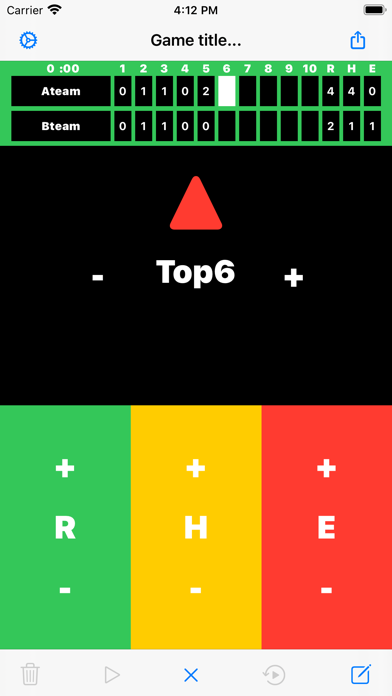
- R run
- H hit
- E error
* Normal mode
- Tap the button to count up (plus 1).
- Tap "Inning" to advance the innings.
- Also, if you press and hold each button for a long time, the value will return (minus 1).
* +-Mode
- Tap the "+" and "-" of Inning, R, H and E to count up and down.
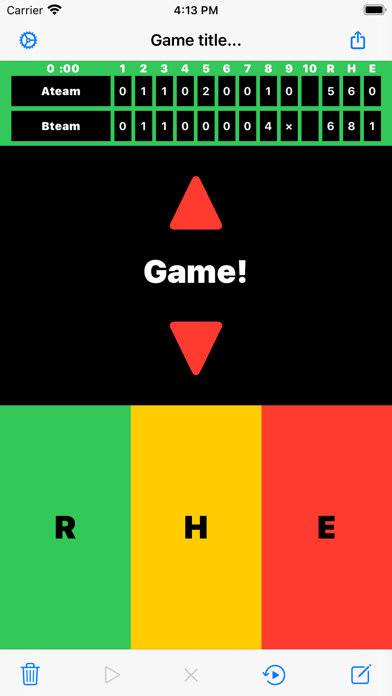
- To end the match, tap the game (bottom center of the screen). The timer will stop.
- If you want to modify the scoreboard after the match, tap Edit (second from the bottom right of the screen). The timer retains its end state.
- Tap the memo (bottom right of the screen) to display the memo screen. In addition to the title and memo, a new column for recording pitchers and extra-base hits has been added. Please use it.
- Tap Share (upper right of the screen) to easily share the scoreboard & memo by various means.
- After 11 innings, the scoreboard will switch to 11 to 20 innings. If you want to display 1 to 10 innings, tap the scoreboard or press the "Inning" button to return the inning.
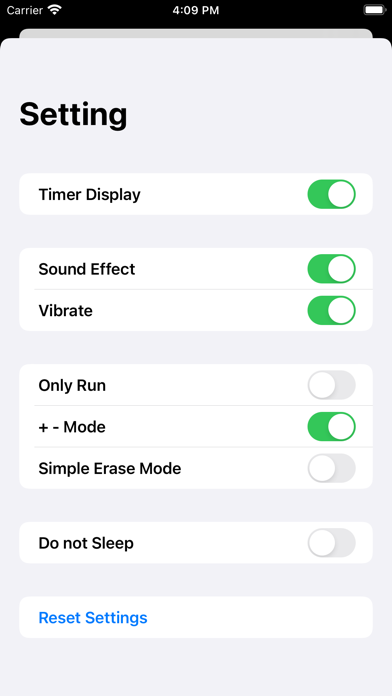
Explanation of setting screen (tap the button on the upper left of the screen to display):
- Timer Display: Shows the match time on the scoreboard.
- Sound Effect: Sound effects on and off.
- Vibrate: Vibration on / off.
- R (score) only: Only "R" is displayed. "H" and "E" are not displayed.
- +-Mode: Display "+" and "-" on each button. Long press is invalid.
- Simple erase mode: The inning score is automatically erased when returning the inning.
- Do not Sleep: Prevents the app from sleeping when it is in the foreground (note the battery level).
- Reset Settings: Resets the settings to their default values.