
iPhone Screenshots


Description
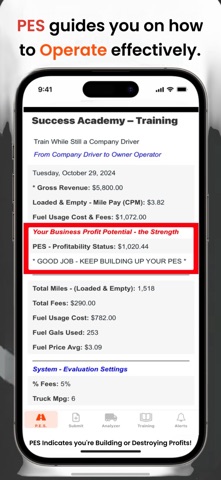
The (G) Gain indicates positive fuel usage, while the (L) Loss shows the client is losing fuel efficiency. Use any amount for the broker's load rate.
HOW TO USE
Follow the steps below to use it effectively.
1. Enter the Broker's Load Rate, this is what the load actually pays.
2. Enter the total estimated miles from your current ZIP code to the pickup ZIP code to the delivery ZIP code. This gives you the full estimated mileage.
3. Enter the your current diesel price per gallon.
UNDERSTANDING THE RESULTS
If the Fuel Usage Loss/Gain is Negative by half or more of the load rate, the load will end up as a total loss and could also hurt your cash flow.