
iPhone Screenshots


Description
Keep the photos, videos, files, and passwords you'd rather keep private locked away in one app — Private Vault.
The "Hidden" album in Photos opens for anyone holding your phone. Real privacy needs a dedicated vault.
■ Full encryption
ChaCha20-Poly1305 (RFC 7539) protects every item. The master key lives only in RAM while the app is unlocked, and is zeroed the moment you lock. Without your passcode, nobody — including us — can read your data. Zero-knowledge by design.
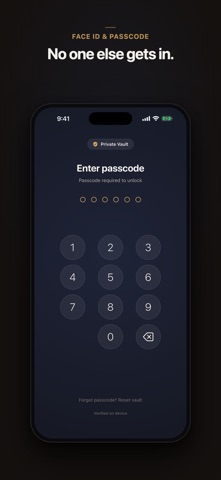
■ Layered lock
Face ID, Touch ID, and a passcode. The vault locks itself when you leave the app — immediately, or after a delay you choose. Re-enrolling your biometrics invalidates the cached key.
Forgot your passcode? Your Vault Key gets you back in — a code only you hold, saved when you set up. We can't do it for you, and that is exactly the point.
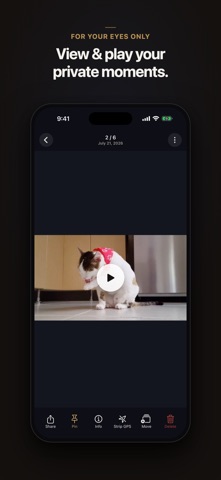
■ Photos, videos, and files
- Bulk import from Photos, with optional auto-delete of the originals
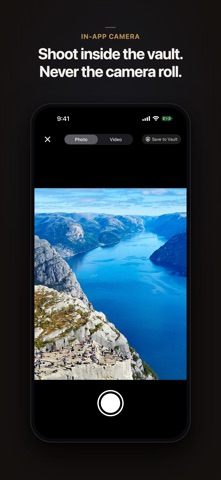
- Shoot photos inside the app — never written to the camera roll
- Live Photos, HEIC, and 4K video supported
- Import any file from Files — PDFs, documents, archives
- Keep or strip GPS metadata, your choice
- Recently Deleted holds anything you remove for 30 days
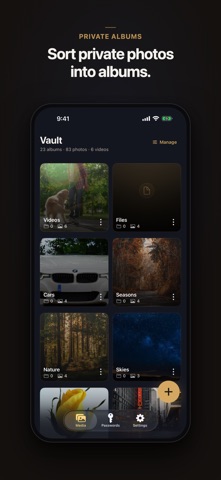
■ Albums
- Built-in Favorites, Photos, Videos, and Files albums
- Your own albums and nested sub-albums
- Rename, pin to the top, set a custom cover, sort by newest or oldest
- Deleting an album never deletes your media
■ Passwords
- Logins, passwords, and secure notes, encrypted on-device
- Strong password generator and strength meter
- Optional Have I Been Pwned breach check, off until you switch it on. It uses k-anonymity: only the first 5 characters of your password's SHA-1 hash ever leave the device, and the matching happens on your phone. Never the password, never the full hash.
■ Privacy
- Vault contents never reach our servers. Optional iCloud sync (off by default) stores only already-encrypted blobs in your own private iCloud
- No ads, no account required
- Firebase Crashlytics monitors stability — never vault contents, file bytes, passwords, or filenames
- Built on swift-crypto, maintained by Apple