
iPhone Screenshots



Description
A fully-featured web browser with advanced hamster-assisted auto-scrolling capabilities. Free your fingers and unleash hamster-power to scroll the browser, so you don’t have to!
Particularly useful when you’re…
… unable to swipe due to sticky fingers or wet hands.
… wearing gloves.
… holding on to public transport.
… eating or drinking.
… holding or feeding a baby.
… reading and taking notes.
… skimming through long documents or webpages.
… using a device with a cracked screen that won’t swipe.
… unable to touch the screen after having a manicure.
… hugging your partner.
Or you’re just feeling too lazy to swipe!
FEATURES
***** Tilt-to-run mode *****
• The hamster responds to the device angle and orientation to scroll the page in the direction and speed you require.
• Browse in any position: Continue to read lying down or upside down!
• Great for reading webpages and documents while resting your fingers.
***** Swipe-to-run mode *****
• Use screen swipes and the on-screen control panel to command your hamster.
• Easily stop and start, change the scroll direction and speed or page through websites automatically.
• Great for relaxing, hands-free reading and for taking notes.
***** Super-smooth scrolling *****
• Experience finely-tuned, beautifully fluid and responsive 60fps hamster-powered scrolling. (120fps on supported devices)
***** Fully customizable *****
• Enable the hamster cursor, sound and haptic feedback (on supported devices) for a complete hamster-powered experience.
• De-hamstify the browser if you have an unusual aversion to hamsters or for a more professional feel.
***** Unlock Advanced Features *****
Purchase the HamsterBrow Pro upgrade for more advanced features:
• Offline Files: Save webpage snapshots and documents for offline hamster-powered viewing.
• iCloud Sync: Sync bookmarks, history and offline files between your devices.
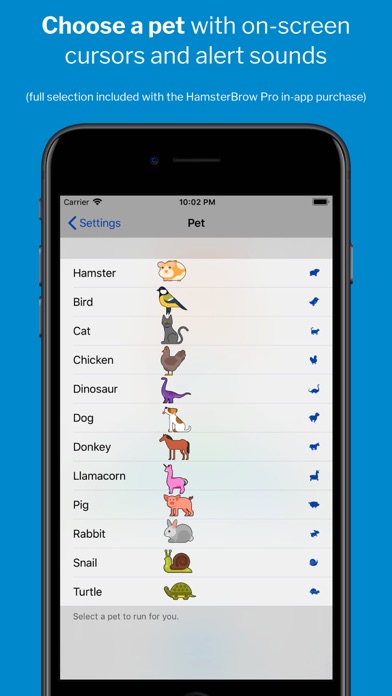
• Choose a pet: Power the browser with a cat, dog, chicken, dinosaur, llamacorn and more!
***** Accessibility Integration *****
• Enable the iOS Switch Control accessibility feature with the scroll control panel to allow fully-accessible switch-controlled scrolling of websites.
Download for all your devices, relax and enjoy the unique HamsterBrowsing experience today!