
iPhone Screenshots


Description
Every photo has a place to belong.
Travel View puts your memories on the map — literally. See every photo where it was taken, build geo-located albums, and relive your journeys the way they actually happened.
Main features:
Photo Map View
Every photo with GPS metadata appears as a pin on the map. Tap to view, edit, or navigate to that location.
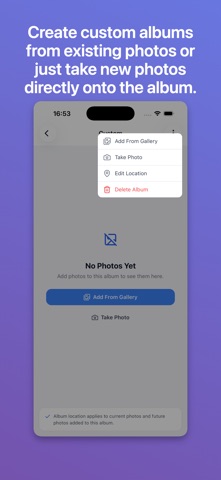
Custom Albums
Create geo-located albums for any trip, event, or place. Add your photos, set a location, and see the whole story on the map.
Edit Locations
Missing GPS data? No problem. Manually add or correct any location by typing a place name or coordinates. Updates instantly on the map.
Yearly Albums
Automatically organized year-by-year. See exactly what happened in 2023, 2024, or any year — and where in the world you were.
Swipe Navigation
Browse photos in any album with intuitive swipe gestures. Smooth animations, circular navigation, and full-quality display.
Travel Stats
See all your trips data organized and get journey insights
Stays Private
Everything runs on your device. No cloud uploads, no accounts, no data leaving your phone. Your photos stay yours.