
iPhone Screenshots


Description
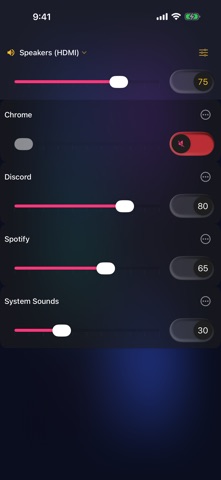
PCVolumeControl turns your iPhone into a wireless audio mixer for your Windows PC. Adjust app volumes, mute programs, and switch audio outputs — without tabbing out of your game or touching the keyboard.
What you can do:
Mute or unmute individual apps — games, Spotify, Discord, browsers, anything making noise
Raise or lower the volume of each app independently
Mute or unmute the master volume
Switch your PC's active audio output device
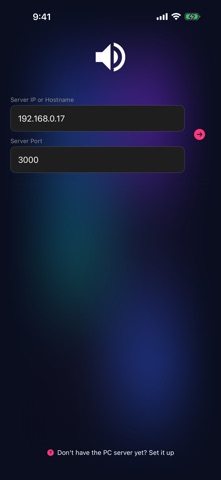
Automatic discovery. When your iPhone and PC are on the same Wi-Fi network, your PC shows up in the server list automatically — no typing required.
Built-in setup guide. New to the app? Tap "Set it up" on the connect screen for a step-by-step walkthrough of getting the Windows server installed and running. You can even share the download link from your phone so it's ready on your PC before you sit down.
Free and open source. No ads, no subscriptions, no accounts. Bugs, questions, and pull requests are welcome on GitHub.