
Simple Shopping To Do List App
Add notes, switch tasks, bulk input
giang pham
iPhone Screenshots



Description
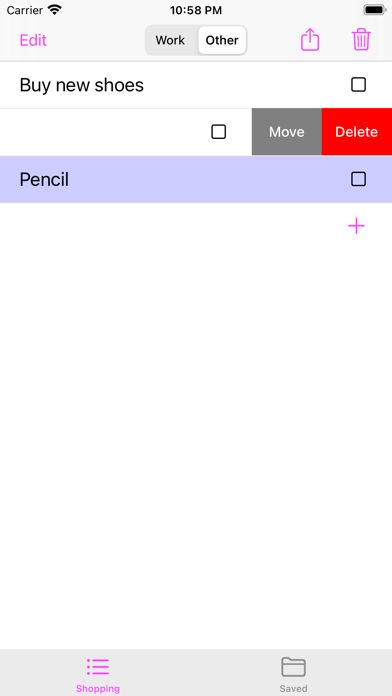
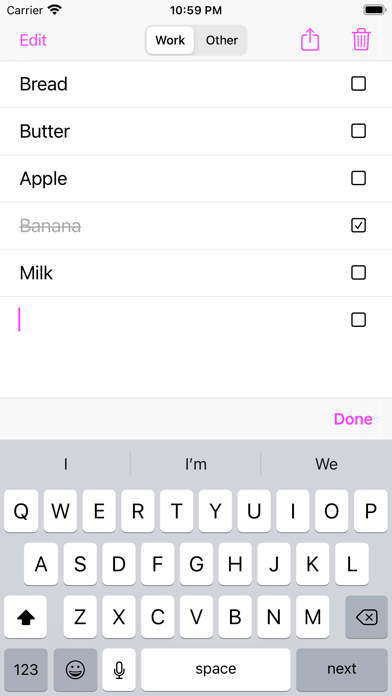
Take notes with two to-do sections, "Work" and "Other," switch items between them by swiping and choosing "Move." Input multiple tasks with bulk input using the next key. Mark tasks as done with a checkbox, delete completed items in a section.
It is the simple, quick note application supporting below functions:
+ 2 sections of to-do items, "Work" and "Other", the items in these 2 list can be switched to each other by swiping from right to left and choose "Move".
+ Bulk Input: user can press "next" on the keyboard to finish inputting current todo items and input next item.
+ Checkbox: checkbox can be touched to mark done/un-done button. If Delete button pressed, the done items (in that section) will be deleted.
+ Coloring important items: important items can be color by swiping to the right. There are 4 colors corresponding to the important level of the items (light pink, light green, light violet, light yellow), each time user swipe to right, the color automatically changed from light pink -> light green -> light violet -> light yellow -> white.
+ Re-ordering items: items can be re-ordered in "Edit Mode", user can switch to the mode by pressing "Edit" button. User returns to normal mode by pressing "Done" button in top right.
+ List of items can be saved and loaded back easily.
Application is designed for your convenience in managing daily tasks. Please try it and rate our application. Thank you very much.