
iPhone Screenshots


Description
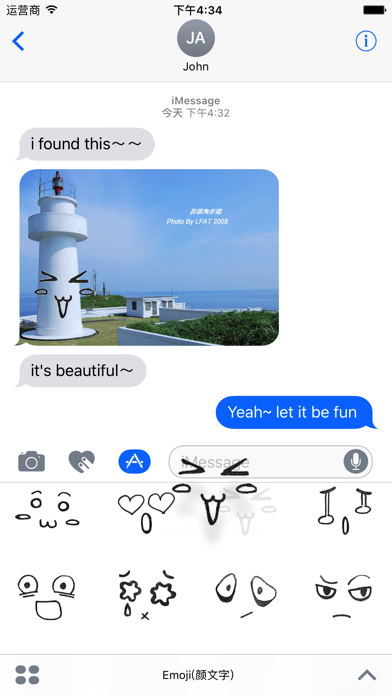
Add and manage stickers for iMessage. Choose from heart, love, cry, surprised, afraid, and other emojis. Send stickers directly in conversations. Access via iMessage Store and drawer.
Cute Emoji Stickers. Heart,Love,Cry,Surprised,Afraid and so many more!
Tips on installing stickers:
• To access iMessage apps, compose a new iMessage to a friend and tap the iMessage App Store icon alongside the compose field.
• Tap the four oval icon on the lower left corner to open the app drawer. From there, tap the plus icon labelled 'Store' to access the iMessage App Store.
• In the App Store, tap the Manage tab in the top right to add your purchased apps to your app drawer.
How to use stickers:
• TAP a sticker to add it to your message thread
• PEEL & PLACE stickers on top of message bubbles or photos, just tap, hold and drop!
• LAYER stickers over each other in conversations in iMessage
• SCALE & ROTATE stickers by using a second finger before you place it on a bubble