
iPhone Screenshots


Description
IMPORTANT! PLEASE READ THIS FIRST!
I kindly ask you to seek help in case of any trouble. You can always write to [email protected] or [email protected]. PLEASE help make Smart Tunes a better product with your valuable feedback!
I will do my best to respond within a day!
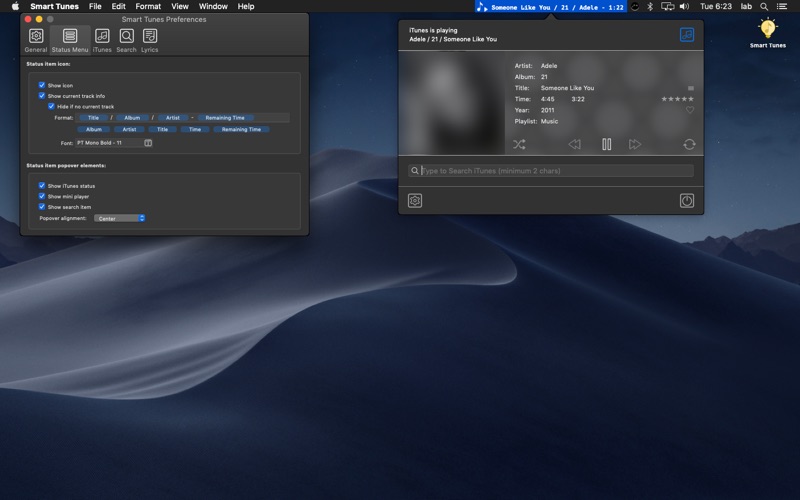
Smart Tunes is a lightweight utility that lets you monitor, manage, save, and restore the state of the iTunes/Music application from the macOS status menu — features that are otherwise missing from the default app.
Currently available features
• Automatic start and stop of iTunes/Music when Smart Tunes starts or exits
• Monitoring, saving, and restoring the last played track and playback state on
⁃ computer wake
⁃ computer lock/unlock
⁃ user session activation
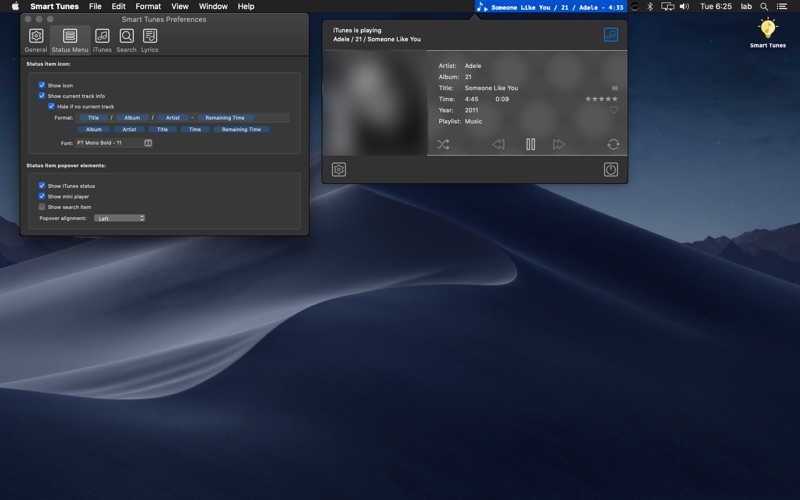
• Customizable display of iTunes/Music status and current track in the macOS status menu
• Control of iTunes/Music via a compact mini-player in the status menu
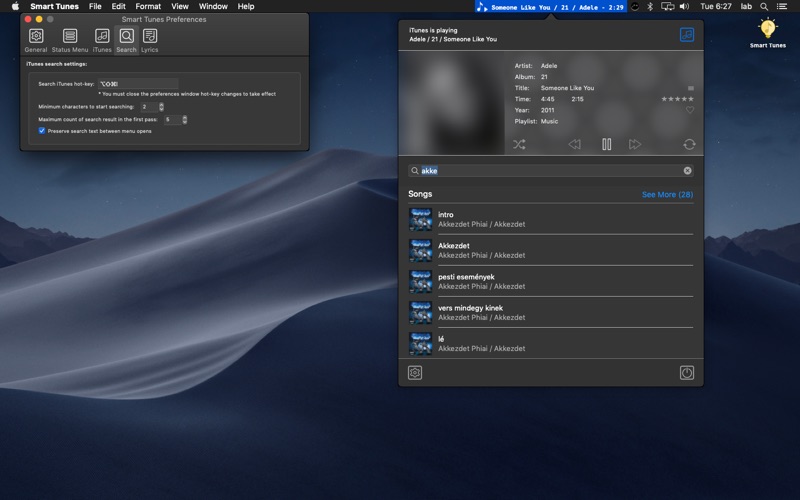
• Track search from the status menu using a customizable hotkey
• Dedicated lyrics editor/viewer window with always-on-top option, customizable appearance, and hotkey
• Automatic lookup and update of missing lyrics for the currently playing track
• Web search for lyrics of the current track using a customizable hotkey
• Quick lyrics update via macOS clipboard and selection services
• Web search for album artwork of the current track using a customizable hotkey
• Quick update of artwork for the current track or entire album using copy/paste and drag & drop (mini player artwork, status menu, clipboard, and selection services)
• Optional restoration of legacy media key behavior (macOS 10.13 High Sierra changed default handling to the active app instead of iTunes/Music)
• Quick activation/deactivation of AirPlay output devices
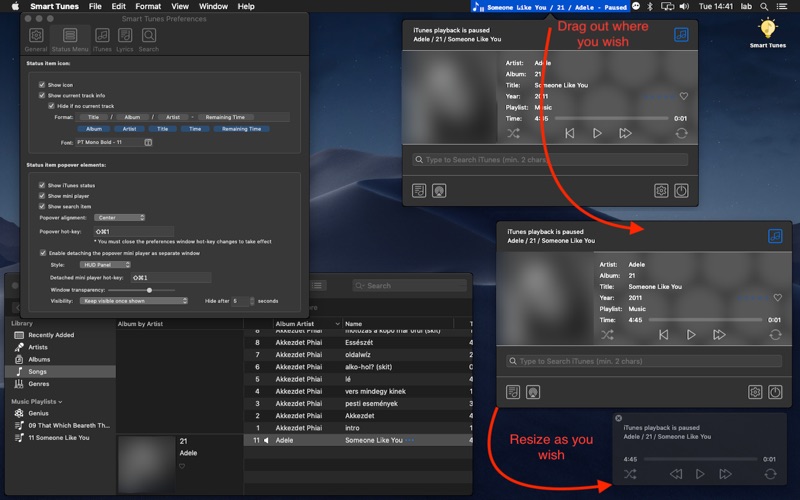
• Detachable status menu popup as a standalone mini-player with customizable behavior and hotkey
Known Issues
• Sandboxed limitations: iTunes/Music cannot be controlled while displaying a modal dialog (e.g. sync interruption). If commands do not work, check and close any such dialogs in iTunes/Music.
• Smart Tunes uses Apple Scripting Bridge, which does not reliably support updating artwork and lyrics for cloud-based tracks (e.g. iTunes Match or Apple Music). These operations are only supported for locally stored tracks — download them first before modifying artwork or lyrics.
Any feature requests or bug reports are highly welcome!