
iPhone Screenshots

Description
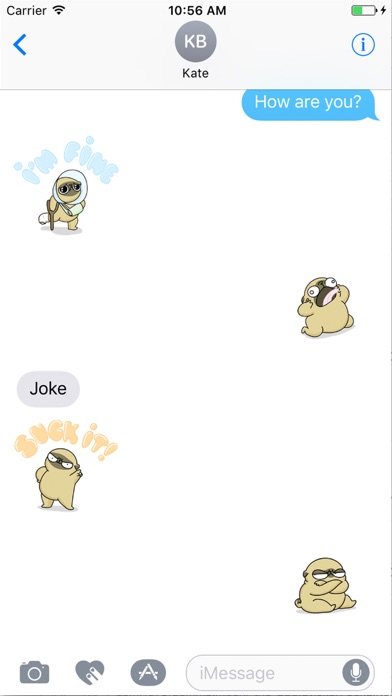
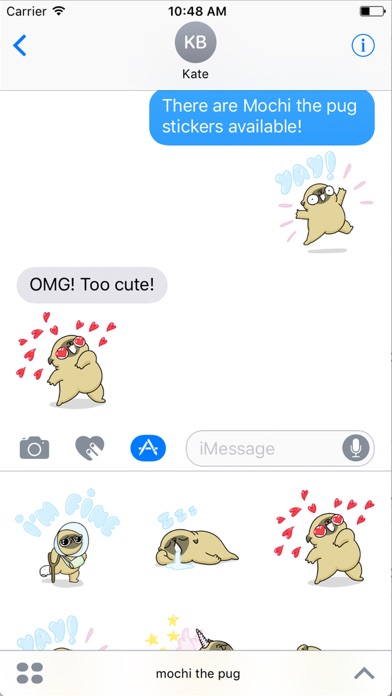
Add stickers to iMessage chats. Share stickers by selecting them in conversations. Activate stickers through the iMessage settings. Choose from a collection of stickers. Send stickers directly in messages.
Official stickers of Mochi the pug from 157ofgemma being his dramatic self.
Share stickers with your friends in your iMessage chats and make your conversations pugsome.
How to install them:
1) On your iMessage app start a new message
2) Tap on the 'app' icon shaped as an "A" and then tap the '4 dots' icon on the lower left corner of your screen
3) Tap on the 'Store +' button and select the "Manage' label to activate the Mochi the pug stickers.
4) Now that the stickers are activated you can always find her in the 4 dots icon in iMessage. Enjoy!
These stickers are based on the popular comic 157ofgemma about living with the adorable Mochi the pug.
For further inquiries, please contact [email protected]