
iPhone Screenshots



Description
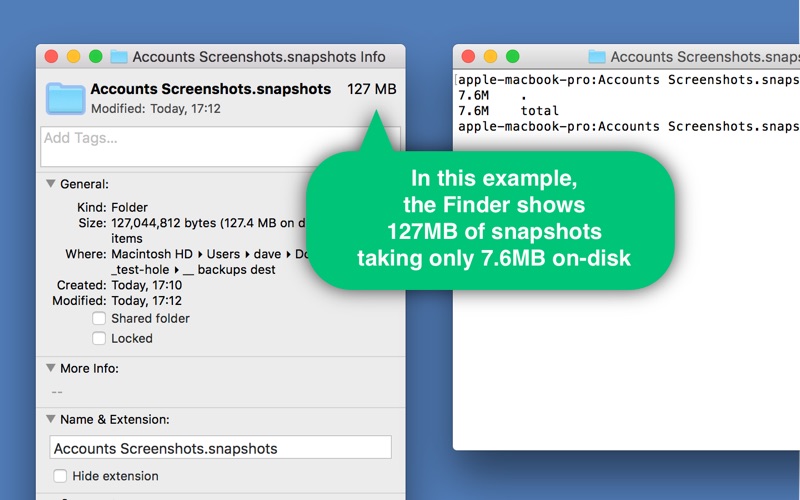
Folder Snapshot Utility will make a rapid backup copy (a ‘snapshot’) of anything you throw at it. This is much faster than a traditional backup copy (think ~1200x faster) and uses practically zero disk space.
Therefore, Folder Snapshot Utility can be used as a rudimentary ‘version control’ tool – storing backups quickly and efficiently so you can ‘roll back’ to a previous version if you need to.
Take a snapshot by simply dragging-and-dropping items onto the dock icon, or just right-click in the Finder and choose ‘take snapshot’.
You may opt to enter a comment as your snapshot is taken, which may serve as a useful reminder if you ever decide to restore the snapshot.
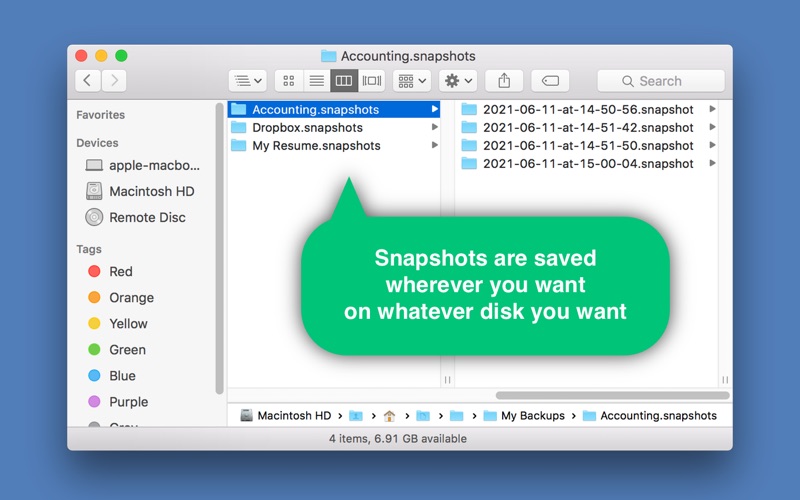
You can store your snapshots wherever you like, and different snapshots can be stored in different places – even on external disks.
Folder Snapshot Utility does not require your disc to be APFS formatted. Older Macs and external discs are welcome here!