
iPhone Screenshots


Description
Type Khmer faster, easier, and more naturally with NpKs Keyboard. Designed for everyday communication, NpKs Keyboard introduces an intuitive typing experience that lets you access more characters without switching layouts.
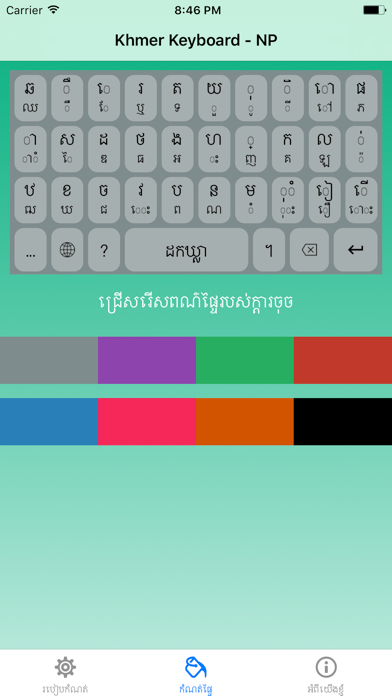
With a simple tap for primary characters and swipe gestures for secondary characters, you can type Khmer efficiently while keeping the keyboard clean and easy to use.
Whether you're chatting with friends, posting on social media, writing emails, or working on documents, NpKs Keyboard is built to make Khmer typing smooth and enjoyable.
Key Features:
Smart Tap & Swipe Typing
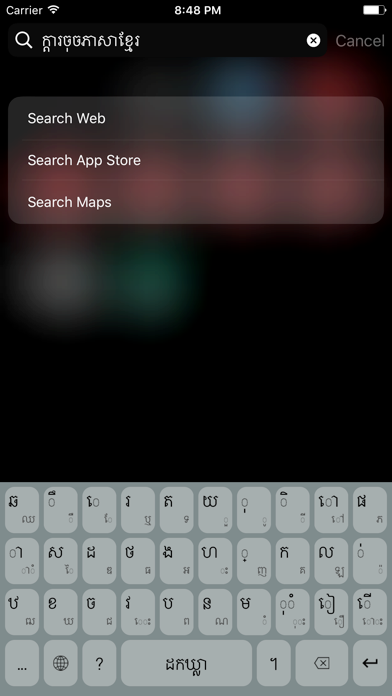
- Tap to enter primary Khmer characters.
- Swipe on keys to access secondary characters instantly.
- Reduce unnecessary layout switching for faster typing.
- Clean and intuitive keyboard design.
Personalize Your Keyboard
- Make your keyboard truly yours with customization options:
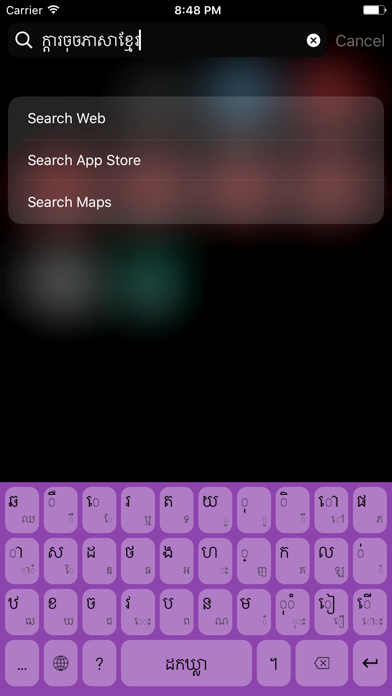
- Multiple built-in color themes.
- Choose your favorite keyboard color.
- Set your own photo as the keyboard background.
- Modern and beautiful interface.
Fast & Responsive
- Lightweight and optimized for smooth performance.
- Comfortable typing experience.
- Designed for daily Khmer communication.
Made for Khmer Users
NpKs Keyboard is created with Khmer typing in mind, providing a practical and user-friendly experience for everyone who writes in Khmer.
Perfect for:
- Messaging
- Social media
- School and study
- Office work
- Everyday communication
Why Choose NpKs Keyboard?
- Innovative tap-and-swipe typing experience
- Easy access to secondary Khmer characters
- Beautiful customizable themes
- Personal background image support
- Free to use
- Simple, clean, and modern design
Our goal is to make Khmer typing more convenient, efficient, and enjoyable for everyone.
Download NpKs Keyboard today and experience a smarter way to type Khmer.