
iPhone Screenshots




Description
Access databases securely with TLS or SSH tunnel connections. Manage authentication with plain, MD5, SASL, or SCRAM methods. Create and modify tables, explore data, filter, sort, and search entries.
DB Compass for PostgreSQL allows you to access your PostgreSQL database directly and without any server setup. You can manage your data with a clean and simple iOS user interface.
FEATURES:
• Connection over TLS encryption and/or SSH tunnel
• Database authentication supported:
plain, MD5,
SASL (SCRAM-SHA-256 and SCRAM-SHA-256-PLUS)
and OAuth (PostgreSQL 18+)
• SSH authentication support Secure Enclave Key and U2F/FIDO NFC Key
• Assisted table creation and alter structure
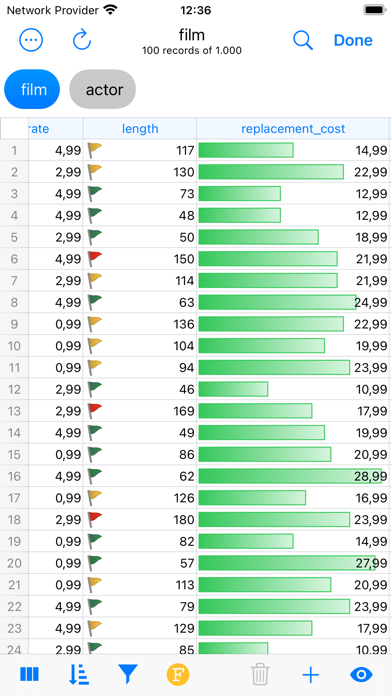
• Explore, filter, sort, and quick search table data
• Query script with A.I. assisted composition and plan analysis
• Database objects (tables, views, procedures, etc.)
• Database statistics, sessions manager, server status graphs
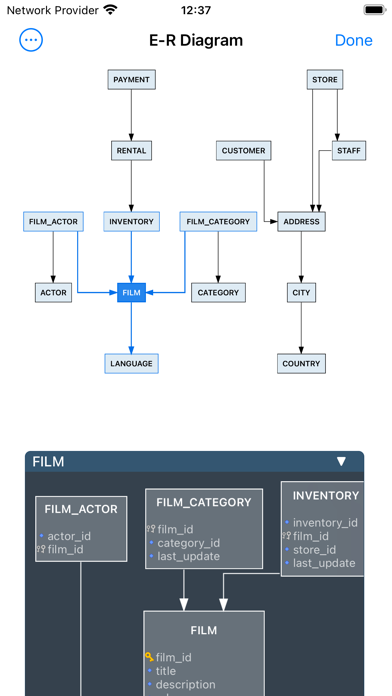
• ER Diagram Viewer
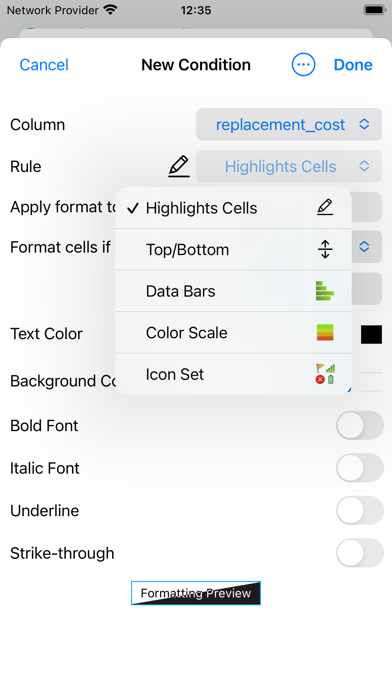
• Advanced data grid for browse, edit, conditional formatting
• Blob field preview, import and export
• Job Activity Monitor
• User list and Privileges
• Import and Export in multiple formats
• iCloud Sync for SQL and JS scripts
• SQL plan analysis
• Execute queries with Shortcuts App
• Charts & Widgets
OpenAI, Gemini and Claude integration requires api key and is only available in allowed regions.
Ollama and LM Studio integration requires your server to connect.
Tested on PostgreSQL 9.5 to 18.
-- This is a Premium app and some features may require an in-app lifetime unlock --
For feedback or suggestions contact [email protected]