
iPhone Screenshots


Description
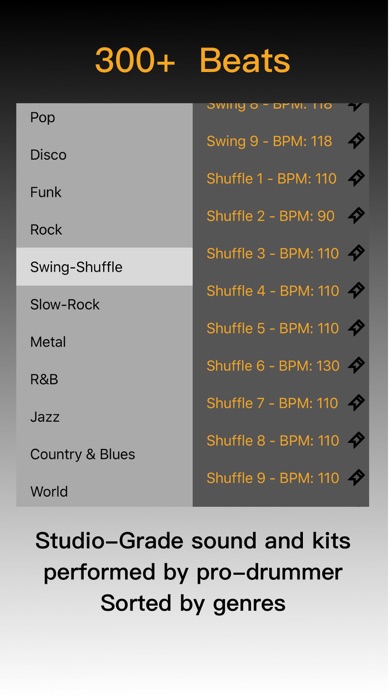
Play drum patterns with customizable BPM settings. Access over 300 preloaded beats across multiple genres. Bookmark favorite rhythms for retrieval. Adjust tempo and select from various drum kits. Sync with MIDI devices for real-time performance.
A drummer for your next practice session.
Quick Drummer gives musicians, songwriters, and music teachers a ready-to-play library of drum grooves on iPhone and iPad. Choose a style, pick a pattern, and play along at your own tempo.
FIND THE RIGHT GROOVE
Browse more than 300 drum patterns across Pop, Disco, Funk, Rock, Swing, Shuffle, Slow Rock, Metal, R&B, Jazz, Country, Blues, and World styles. Every pattern has a suggested starting tempo.
PRACTICE AT YOUR PACE
Adjust BPM with the tempo dial, enter a tempo directly, or use tap tempo. Use count-in to prepare your entrance, and tempo lock to keep your chosen speed when switching grooves.
KEEP YOUR FAVORITES CLOSE
Save favorite patterns with their tempos so you can return to the grooves you use for warm-ups, lessons, songwriting, and improvisation.
SHAPE THE SOUND
Use the three-band EQ with selectable center frequencies, compressor, and bit-crusher to change the character of your drum accompaniment.
CHOOSE HOW YOU PLAY
Background playback is optional and off by default. You can also choose whether to keep the screen awake while playing.
AD-FREE OPTIONS
An optional one-time in-app purchase removes ads. Already purchased? Use Restore Purchase in Settings with the Apple Account used for the original purchase. When a rewarded ad is available, you can choose to watch it for three additional days without ads.
Pick a groove. Set the tempo. Make music.