BLE Scanner 4.0 – Bluetooth LE
Scan and track BLE beacons in real
BLUEPIXEL TECHNOLOGIES LLP
iPhone Screenshots


Description
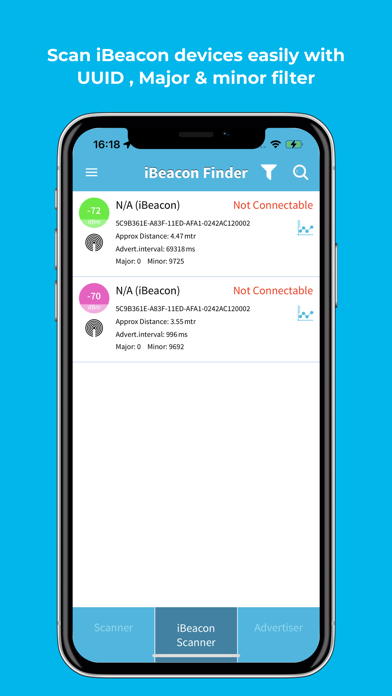
Scan nearby Bluetooth devices and view their signal strength. Detect and monitor Bluetooth Low Energy peripherals. Identify iBeacon and Eddystone formats including UID, TLM, and URL. Locate lost Bluetooth devices like fitness trackers.
No. 1 Scanner Utility app for BLE devices and trusted by developers, hobbyists, and everyday users worldwide, BLE Scanner 4.0 is your go-to app for Bluetooth Low Energy exploration.
Easily discover, connect, and manage your Bluetooth Low Energy (BLE) devices. Whether you’re a developer testing BLE device signals or a user tracking your smart gadgets, BLE Scanner gives you powerful tools to scan, analyze, and connect all in one app.
Why BLE Scanner?
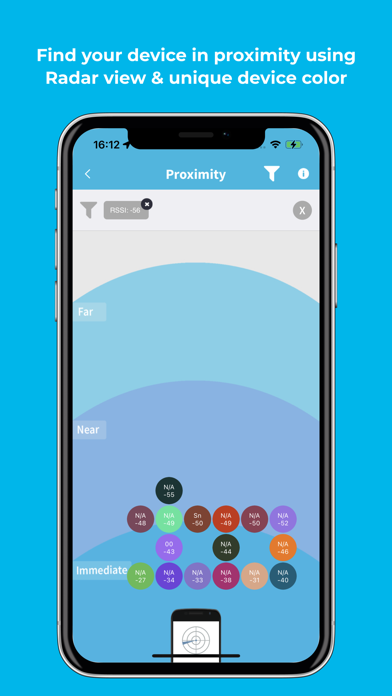
- Instant Discovery: Quickly find nearby BLE devices with real-time signal strength (RSSI). Lower the number the closer you are to the source i.e. -25 is very near and -80 is far from your BLE devices.
- Radar View: Visualize device distance and movement around you.
- Smart Filters: Search by name, UUID, RSSI, or major/minor values.
- iBeacon & Eddystone Support: Scan, monitor, and analyze beacon data seamlessly.
- Data Export: Save scan history or export logs to CSV for advanced analysis.
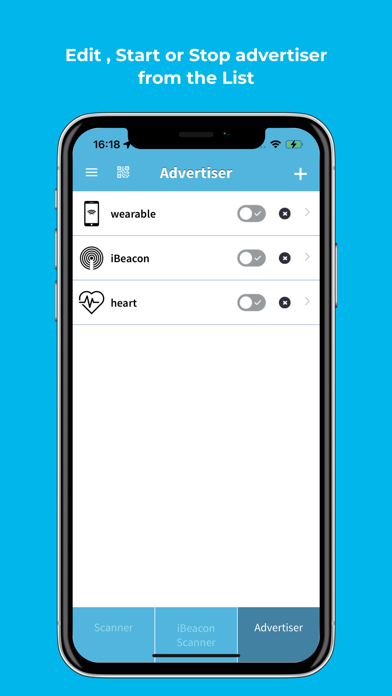
- Custom Advertising: Create your own BLE advertising packets for testing & IoT projects.
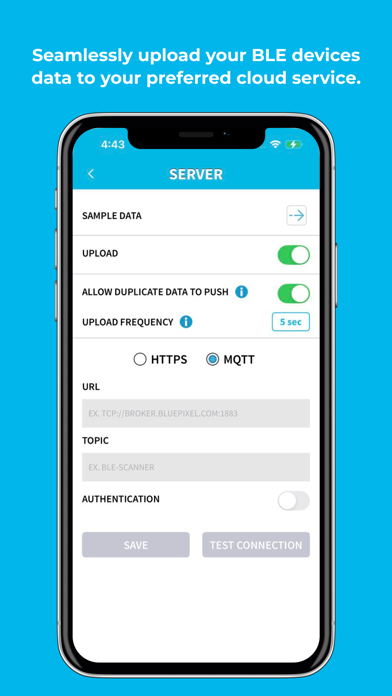
- Upload data to the cloud: Upload your BLE device data on your own cloud using HTTPS or MQTT URL.
- Secure Connections: Connect to GATT services and explore characteristics.
Built for Developers & Engineers
- Inspect GATT services & characteristics
- Read and write BLE characteristics
- Debug BLE communication issues
- Ideal for firmware testing & validation
Privacy First
• No account required
• No personal data collected
• BLE scanning performed locally on your device
Privacy Policy:
https://www.bluepixeltech.com/appVersion/privacy-policy-blescanner.html
Terms of Use (EULA):
https://www.apple.com/legal/internet-services/itunes/dev/stdeula/
Follow us on:
Facebook: https://www.facebook.com/blescanner
X: https://x.com/blescanner
Comments, questions, or suggestions? Visit us: www.bluepixeltech.com or Email us: [email protected]