
iPhone Screenshots


Description
A simple, fast editor for writing in Markdown.
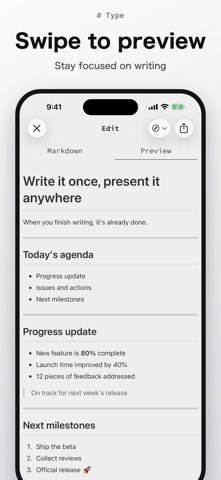
From quick notes to meeting minutes, technical articles, and blog drafts. A screen that keeps you focused on writing, and a preview that is one swipe away.
WRITE
- Tap the toolbar above the keyboard to insert headings, lists, code, and other Markdown syntax
- Swipe to preview what you wrote
- Auto-saves when you close the editor or the app
- Search your text from Spotlight
- Import Markdown files from other apps such as iCloud Drive
SHARE
- Send your Markdown straight from the share sheet
- Post to Qiita, GitHub Issues, or Gist
TURN IT INTO SLIDES
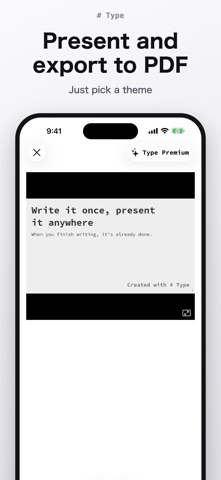
- Split by headings to turn Markdown into slides
- Pick a theme, present, and export as PDF
TYPE PREMIUM
- Sync your Markdown across all your devices
- Remove the watermark from slides and exported PDFs
- All premium features added in the future
If your subscription ends, syncing stops after a 3-day grace period. Your Markdown stays on your device, and everything is restored when you subscribe again.
About Type Premium
- $3.99 / month or $39.99 / year (first 2 weeks free)
- Payment is charged to your Apple ID account at confirmation of purchase
- The subscription renews automatically unless auto-renew is turned off at least 24 hours before the end of the current period
- Your account is charged for renewal within 24 hours prior to the end of the current period
- You can manage or turn off auto-renewal in your account settings after purchase
- If a free trial is offered, any unused portion is forfeited when you purchase a subscription
Terms of use: https://type-markdown.app/terms.html
Privacy policy: https://type-markdown.app/privacy.html