Northern Lights Photo Capture
Auroras with preset modes
Letovaltsev Maxim
iPhone Screenshots


Description
With preset brightness settings for optimal settings. Use a self-timer to avoid camera shake. View location-based aurora forecasts. Adjust exposure and focus manually for better results. Share photos directly from the .
«Northern Lights Photo Capture & Forecast» is perfect app to capture the Northern Lights (Aurora Borealis) on your iPhone/iPad! In addition, app allow you to view the latest northern lights forecast based on your location.
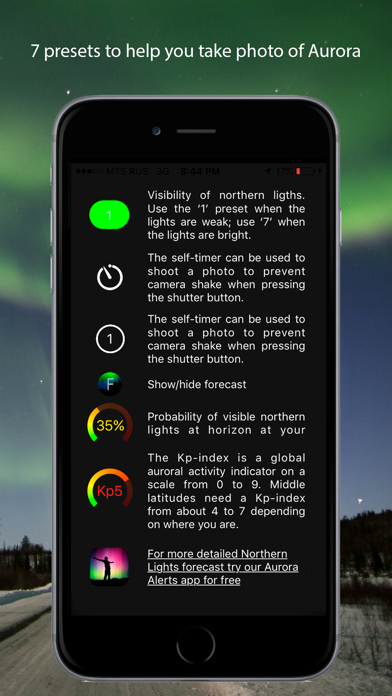
There are 7 presets that you can choose from based on the brightness of the aurora lights that you're seeing — all you have to do is tap the button that corresponds. Use the ‘1’ preset when the lights are weak; use ‘7’ when the lights are bright.
Features:
- The self-timer, which is imperative for nighttime shots, enables you to take un-blurred pictures of Northern Lights.
- Up-to-date northern Lights forecast based on your location
- 7 presets to help you take photo of Aurora
- RAW-format capture
- View up-to-date aurora forecasts
- Volume up (+) photo capture
- Burst mode (takes multiple photos at once)
Please note: that while a tripod is not required, the camera must be held steady. To keep your camera still during the long exposure you'll need a tripod with a iPhone suitable head, something like a clamp or a car phone holder. This will ensure you do not shake the camera while it is capturing the image.