
ADAX WiFi
Control heaters, create schedules, manage locations
GLEN DIMPLEX EUROPE HOLDINGS LIMITED
iPhone Screenshots

Description
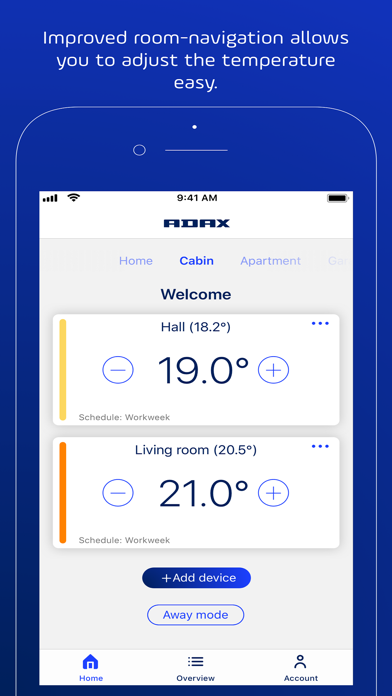
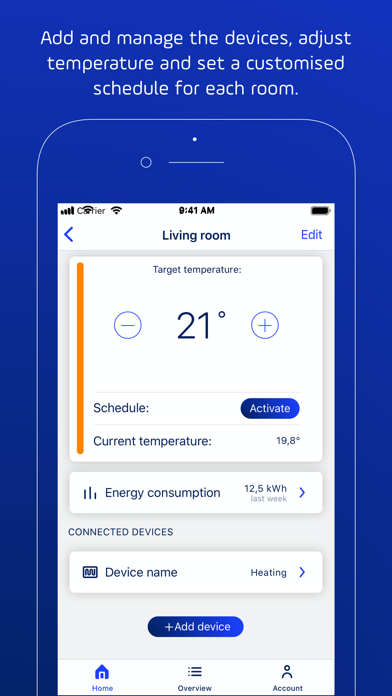
Control and manage heaters via smartphone. Create schedules for Home, Sleep, and Away modes. Organize heaters into multiple rooms with custom settings. Adjust temperatures manually or through the . Integrate with Google Home for smart home control.
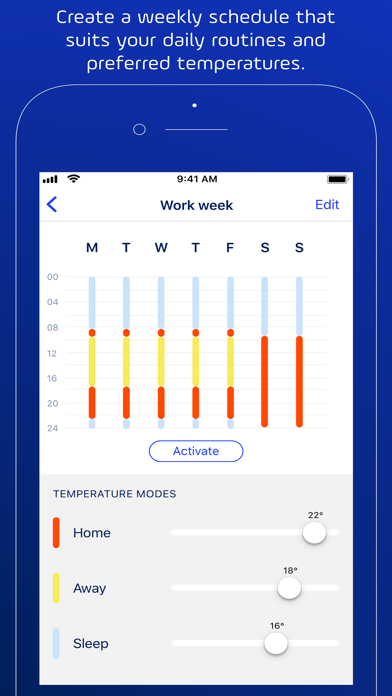
With the Adax WiFi app you can control and manage your Adax WiFi heaters directly on your phone. Create schedules to make the heating adapt to your daily routines, Home, Sleep and Away.
Compatible with Google Home
* Control heaters on several different locations – Home, Cabin, Office etc.
* Each “home” can be divided in several “rooms” like living room, bedrooms, kitchen etc, with one or several heaters linked to each room.
* Set and adjust temperatures in the app or manually on the thermostat.
* Set up individual scheduling for the week to automatically adjust temperatures when you are Home (comfort temp.) – At night (sleep temp.) and Away (at work or holiday)
* Invite / share access to the account for family members to control the heaters.
* Set “Child lock” for security
* Set Away mode (fixed temperature) when leaving on vacation etc.
Create an account and add one or several Wi-Fi heaters to your account.
Thermostat with Wi-Fi
- The heaters are installed with Wi-Fi to your local router on the 2,4GHz band. (Requires 802.11 b/g/n and WPA2)
Thermostat with Wi-Fi and Bluetooth.
- Our second generation thermostat have Bluetooth for pairing and Wi-Fi for remote access via cloud.
App support: send an e-mail to [email protected]