
iPhone Screenshots


Description
Reply faster with Quick Copy.
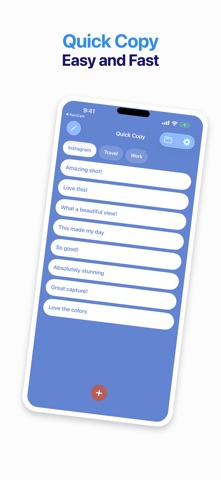
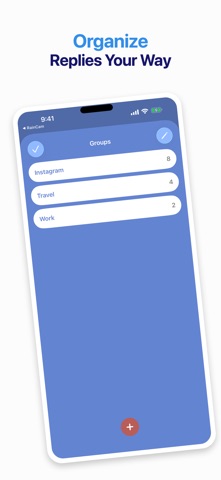
Save the messages, compliments, links, and phrases you use most often. Organize them into groups, then insert any reply with one tap from the Quick Copy keyboard—without leaving the app you are using.
BUILT FOR QUICK REPLIES
• Save and edit reusable text
• Organize replies into separate groups
• Reorder replies to control their keyboard position
• Insert text directly from the custom keyboard
• Switch groups without returning to the main app
HOME SCREEN WIDGETS
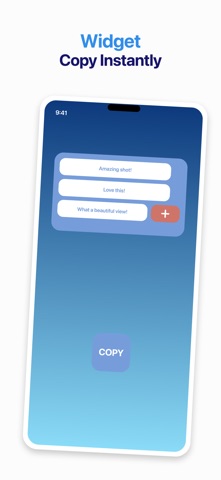
Add a medium or large Quick Copy widget to your Home Screen. Choose the group each widget displays, copy a saved reply, or open the add-reply popup.
SIMPLE AND FAST
Quick Copy keeps your saved text available through the app, keyboard, and widgets. It is ideal for social replies, customer messages, frequently shared details, and everyday text snippets.
Quick Copy includes advertising. Enabling Full Access is required for the keyboard to read replies shared by the main app.