
iPhone Screenshots

Description
WebFont is a macOS font utility for web fonts, icon fonts, font conversion, subsetting, and SVG-based font building.
Everything runs locally on your Mac. No cloud upload, no external processing, and no account required.
What you can do
Text to SVG
- Convert words, phrases, and multi-line sentences into portable SVG outlines.
- Use the currently loaded font to preserve the intended letter shapes.
- Adjust font size, variable weight, tracking, line height, wrap width, alignment, padding, and fill color.
- Allow or block system fallback fonts when characters are missing.
- Copy SVG to the clipboard or save it as a standalone .svg file.
- Exported SVG contains outlines, so the font does not need to be installed when the SVG is used elsewhere.
Font Builder
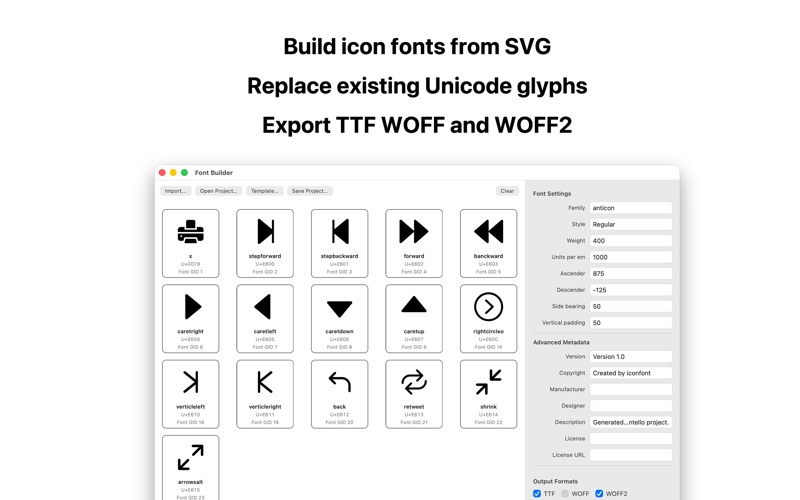
- Build new icon fonts and web fonts from outlined SVG artwork.
- Import a static TrueType source font to add SVG glyphs or replace existing Unicode glyphs.
- Keep replacement glyph IDs stable when editing a source font.
- Save and reopen .webfontproject packages with embedded source font data, SVG glyphs, build settings, and replacement targets.
- Export TTF, WOFF, WOFF2, CSS, demo HTML, and metadata.
- Download an SVG template with glyph guides before drawing artwork.
- Run Preflight Check before export.
Preflight Check
- Detect Unicode conflicts.
- Detect duplicate glyph names.
- Detect empty SVG paths.
- Warn about abnormal SVG dimensions.
- Warn when artwork exceeds baseline, ascender, or descender expectations.
- Flag unsupported SVG features such as text, raster images, masks, filters, clipping, scripts, animation, and external resources.
- Warn when a glyph is too complex for stable font output.
Font Conversion
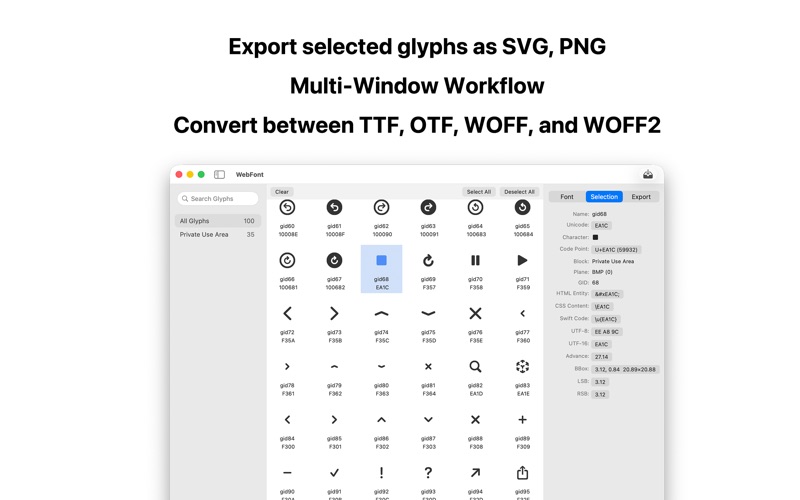
- Convert between TTF, OTF, WOFF, and WOFF2.
- Use Single Font Conversion for one-off jobs.
- Use Batch Font Conversion for queue-based workflows.
- WOFF2 encode/decode is backed by Google's WOFF2 library.
Subset Generation
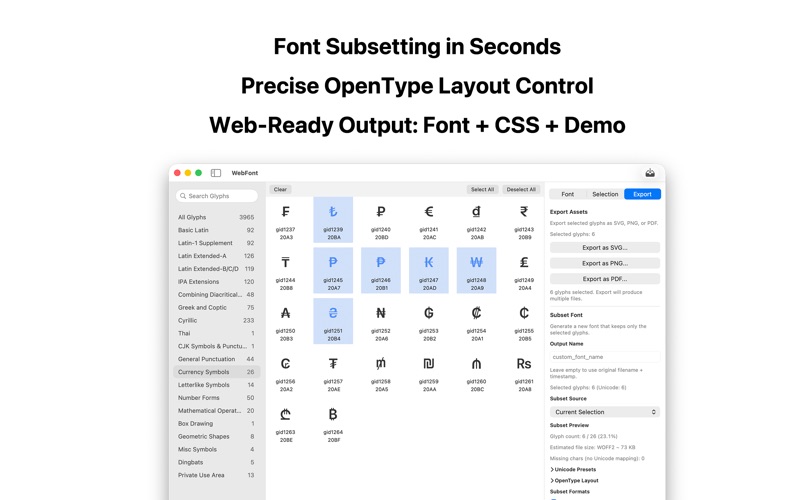
- Create smaller TrueType-based font subsets from selected glyphs, pasted text, or imported .txt files.
- Apply Unicode presets for General, Japanese, and Korean character sets.
- Export subsets as TTF, WOFF, and WOFF2.
- Choose how OpenType layout tables are handled.
- Keep or remove selected OpenType feature tags.
- Preview glyph count, estimated file size, and missing Unicode mappings before export.
Web Package Export
- Generate a ready-to-preview web package:
- fonts/
- CSS with @font-face and unicode-range
- demo.html
- metadata.json
- Preview glyphs in the included demo page.
- Copy HTML snippets for icon font usage.
Glyph Asset Export
- Export selected glyphs as SVG, PNG, or PDF.
- Browse, search, select, and compare glyphs in multiple windows.
Reliability
- Validates generated fonts before writing outputs.
- Checks parser validity, required font tables, cmap coverage, duplicate Unicode mappings, and compatibility warnings.
- WOFF and WOFF2 outputs are decoded again for round-trip validation.
- Font Builder rejects unsupported or unsafe SVG/font features instead of silently changing them.
Privacy
- Your font files stay on your device.
- No cloud upload.
- No external processing.
Notes
- Font conversion supports TTF, OTF, WOFF, and WOFF2.
- Subset generation currently supports TrueType-outline fonts.
- Font Builder source-font editing supports static TrueType-based fonts.
- Font Builder SVG input should be outlined static artwork, not live text, raster images, filters, masks, scripts, or animation.