
iPhone Screenshots



Description
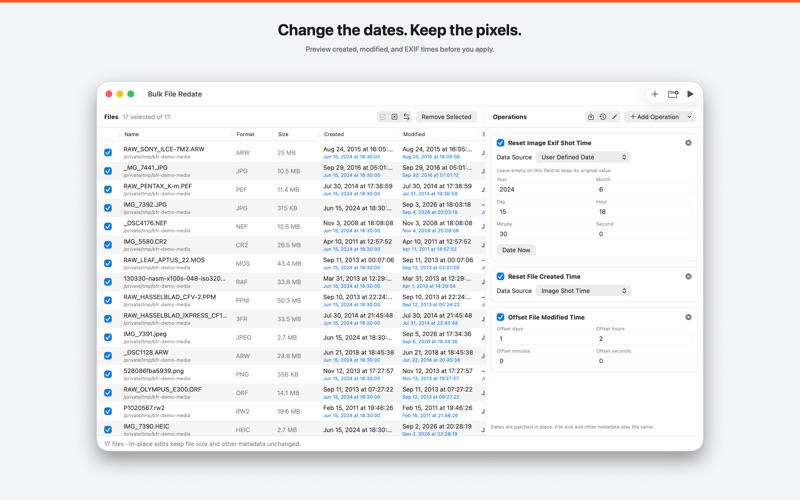
Bulk File Redate patches created, modified, and photo EXIF dates in the original files.
Drop a folder of photos. Add a reset, an offset, or copy one date onto another. New timestamps appear in blue in the list before you apply. Pixels, file size, and other metadata stay the same.
HOW IT WORKS
1. Drop files or a folder — HEIC, JPEG, PNG, TIFF, PSD, DNG, and camera RAW.
2. Add operations: set a date, shift by days and hours, or copy shot time onto created time.
3. Preview every new timestamp in the file list.
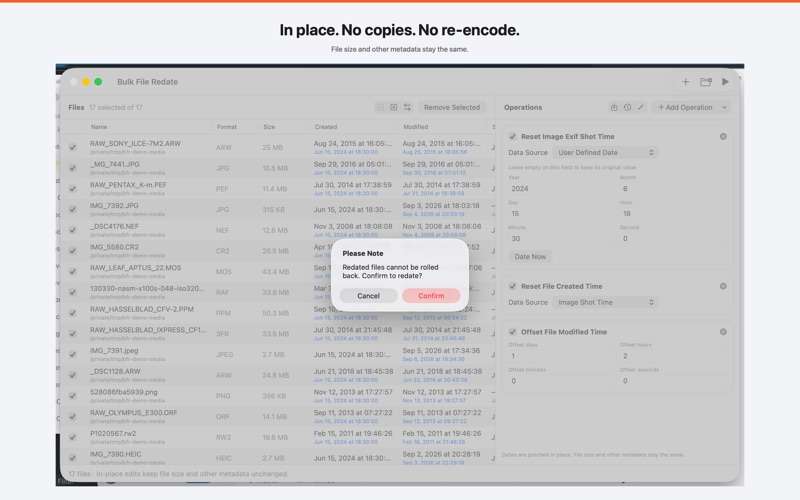
4. Start Redating. Dates are written in place. There is no copy and no re-encode.
DATES YOU CAN CHANGE
• File created time
• File modified time
• Image shot time
• Image digitized time
• Image original time
Leave a year, month, day, or clock field empty to keep that part of the original value.
PRESETS
Save a set of operations and restore it the next time the same job comes up.
LITE AND FULL
Free to start. Lite can import 5 files at a time. Full Version (In-App Purchase) removes that batch limit.