
iPhone Screenshots




Description
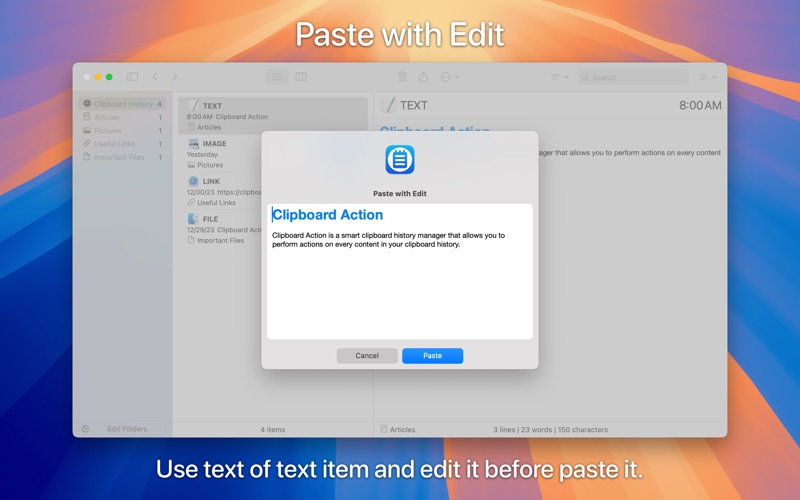
Clipboard Action is a smart clipboard history manager that allows you to perform actions on every content in your clipboard history.
Key Features:
• View Modes - List and detail view mode.
• Direct Paste - Paste items directly into the active application.
• Application Actions - Paste, Paste as Plain Text, Paste with Edit, Open, Save to File, Show in Finder.
• AppleScript Actions - Custom actions that run an AppleScript file.
• Automator Actions - Custom actions that run an Automator Workflow file.
• Shortcuts Actions - Custom actions that run a Shortcut from the Shortcuts application.
• Drag and Drop - Drag and drop items into any application.
• Swipe - Paste or delete items with a swipe.
• Share - Share items with your friends.
• Search - Search items by text.
• Filter - Filter items by type or application.
• Folders - Organize your items into folders.
• Selected Text - Work with the selected text.
• Mode without Dock Icon - Show application window on active screen and active space.
• Ignored Applications - Ignore the contents of the clipboard copied from selected applications.
• Ignored Contents - Ignore the contents of the clipboard by pasteboard type.
• Global Shortcut - Show application from anywhere.
• Global System Service - Use selected text from anywhere.
• Touch Bar Support - Browse items and perform actions using the touch bar.
• Launch Application at Login.