
my portal. by Dignity Health
View records, message doctors, track meds
CommonSpirit Health
iPhone Screenshots


Description
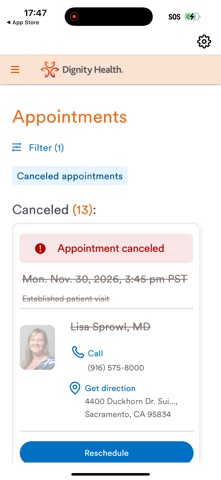
View records, send secure messages to doctors, and manage medication lists, immunizations, and test results. Access medical information anytime through a secure, user-friendly interface.
Effortlessly manage your medical information with my portal. by Dignity Health – your all-in-one care solution.
Streamline your health management and access vital features such as:
- View health records.
- Secure messaging with your doctor.
- Personal list of medications, immunizations, and test results.
Our secure network ensures data safety, enabling you to utilize all features with complete peace of mind.
Accessing my portal. is simple:
1. Create Your Account: If you don’t already have a My Portal account, Dignity Health will send an email invitation upon booking or following a visit. You may also call your provider and ask them to send you an invitation. Simply follow the steps in the invitation to get started, then log in with your credentials. You must have a valid My Portal account to use the my portal. by Dignity Health app.
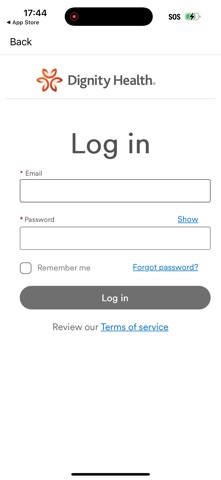
2. Download the App: Get the my portal. app by Dignity Health and sign in using your Dignity Health email and password.
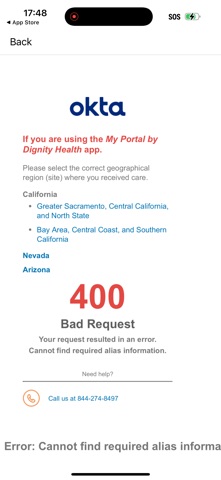
3. Select your care region: Depending on where you received care, select the correct region for entry into your patient portal. If you receive a 400 error when attempting to log in:
- Go “Back” to the log in page
- Select “Change site”
- Change your site and try logging in again.
4. Explore and Engage: Start messaging your provider, accessing lab results, and diving into your health records.
For computer access visit https://www.commonspirit.org/patient-resources/dignity-health-patient-portal/myportal
Experience effortless health management – download my portal. by Dignity Health today. Your care, simplified.
Note: The My Portal. app works best in portrait orientation.