
DLAN Mobile Responder
Track personnel and submit forms offline
Buffalo Computer Graphics, Inc.
iPhone Screenshots


Description
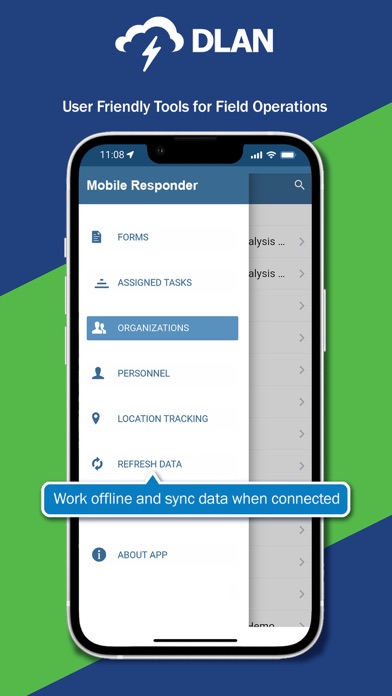
Capture and share images and videos for real-time communication. Track personnel locations and update status. Enter and submit forms offline. Conduct damage assessments and manage debris. Coordinate risk evaluations and field operations.
BCG’s Mobile Responder App adds offline functionality, personnel tracking, and quick form entry to our DisasterLAN (DLAN) emergency management software and other BCG software.
IDEAL FOR:
• Disaster Area Field Operations
• Damage Assessments
• Debris Management
• Risk Assessments
• Personnel Tracking
With DLAN’s Mobile Responder App, emergency managers in the field can easily communicate essential information, including images and videos, with each other and back to the Emergency Operations Center (EOC) using their own mobile devices.
CREATE CUSTOM FORMS & WORKFLOWS
• Like other areas of DLAN, custom mobile forms and workflows can be created based on your needs
• DLAN includes easy to use form creators - no programming skills required
LEVERAGE USER DEVICES
• The App can access cameras, photos, and GPS trackers within each user’s device
• GPS tracking allows the app to track current and historical locations (breadcrumb trails) providing a simple, accurate, and cost-effective way to track personnel and see historical routes for vehicles, damage assessments, grid searches, and more
• Any number of authorized users can download the mobile responder app with no per user charges
ASSIGNED TASK MODE
• Helps get field staff started on their daily duties quickly
• When a user logs in the App automatically syncs and downloads all assigned tickets including:
o Forms
o Basic ticket data
o Contact information
• When tasks are completed, they are automatically published back to DLAN
WORK OFFLINE
• Work with any form offline
• Save progress locally
• Use “store and forward” capabilities to sync to DLAN when connection is re-established
SYNC DATA WITH DLAN
Once a form is synced with DLAN, they can be:
• Posted to a ticket (manually or through automated workflows)
• Submitted to the Risk & Resiliency module
• Displayed in maps & dashboards
• Included in reports & exported
The Mobile App is designed to work with DLAN and other BCG software. Authorized credentials are required for login. For more information about DLAN, visit www.disasterlan.com.