
Operations Center PRO Run
Track jobs, manage routes, and access field
John Deere
iPhone Screenshots

Description
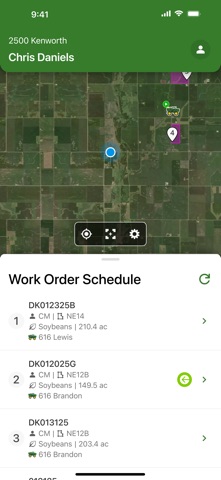
View work orders in priority order and track field boundaries and locations. Access driving directions to fields and check DriftWatch® Sensitive crop data. Sync with the PRO Dispatch web application for real-time updates.
John Deere Operations Center™ PRO Run mobile app communicates with the Operations Center PRO Dispatch web application to provide a complete logistics solution for the ag retailer industry.
The tablet version of Operations Center PRO Run mobile app provides applicators with all the tools to:
- View work orders in priority order to be completed
- Get driving directions directly to the field eliminating wasted time
- View field boundary and field location
- View DriftWatch® Sensitive crop locations and detailed information
- Wirelessly transfer prescription files to/from the operator
- Document field and weather conditions and machine settings
- Electronically complete a work order and capture the operator signature
- Add/Edit products and quantities
After completing the order, all completed details are wirelessly sent to the Operations Center PRO Dispatch web application where they are populated into a printable field ticket.
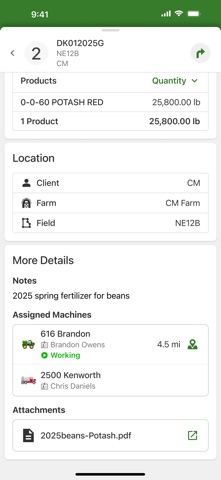
The smartphone version of Operations Center PRO Run mobile app provides tender drivers with all the tools to:
- View work orders in priority order to be delivered
- View work order details including products, rates, quantities
- Get driving directions directly to the field location eliminating wasted time
- View field boundary and field location
- View applicator location
- Automatically report current locations back to dispatch
Note: Continued use of GPS running in the background can significantly decrease battery life.