CodeGamer
Play with gamepad, unlock levels
Franckh-Kosmos Verlags GmbH & Co. KG
iPhone Screenshots

Description
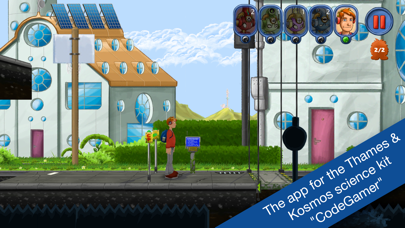
Learn Arduino programming through 15 levels. Unlock all levels after connecting to the gamepad. Use innovative controls to navigate challenges. Transfer real-world actions to digital gameplay. Track progress through interactive challenges.
The CodeGamer app is part of the CodeGamer experimental kit. It is only in combination with the gamepad from the experimental kit that all app functions can be used. Once the connection has been established between the gamepad and the app, all levels will be unlocked automatically.
Journey yourself through 15 exciting levels, and learn the Arduino programming language along the way. Transfer your reality to the digital world and discover the innovative controls included in CodeGamer!
Transform your game character into one of the four sensor bots in order to eliminate obstacles. To do so, just plug a sensor bot into the gamepad and activate its special powers.
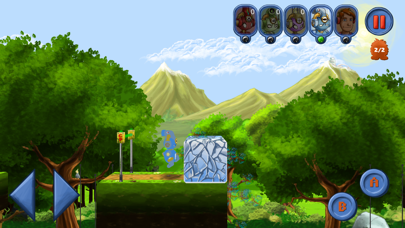
“Kelvin“: melts ice cubes as soon as you warm the temperature sensor with your hand
“Decibel“: clears the path each time you treat the audio sensor with sounds
“Lumen“: shows you hidden things whenever you illuminate your light sensor
“Newton“: boxes all obstacles out of the way as soons as you shake your motion sensor
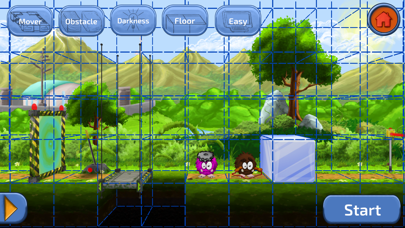
Level editor: create your own levels and share them with other players
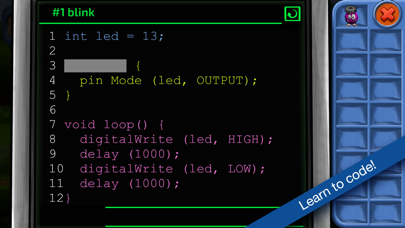
Learn the Arduino programming language level by level while playing the game!
- Solve the Arduino puzzles – which will become more and more difficult – to get ahead in the game.
- Find out which codes will make your audio module howl, or the LEDs on your gamepad flash.
- Discover how your gamepad works and how you can program it by yourself.
****
Questions, suggestions and feature requests?
We look forward to your suggestions!
Mail to: [email protected]
****