
Video to GIF Maker - Aiseesoft
Convert videos to GIFs and edit clips
RayShare Co., Ltd
iPhone Screenshots
Description
Convert videos to GIFs by selecting formats like MP4, MOV, AVI, and WMV. Edit clips, adjust settings, and trim sections before exporting. Save and share the resulting GIFs directly.
Video to GIF Maker is a top-rank GIF Creator App. On one hand, this Video to GIF Converter helps you to make a GIF from video. Like MP4 to GIF, MOV to GIF, AVI to GIF, MKV to GIF, WMV to GIF and 200+ other videos to GIF. On the other hand, you can edit videos and adjust video settings before creating a GIF animation.
With Video to GIF Maker, you can:
1. Convert all popular videos, including MP4/MOV/AVI/WMV/FLV/MKV/M4V/SWF/MXF/MTS and more to animated GIFs.
2. Support in-depth video editor to edit videos before making your own GIF animation.
3. Make GIFs out of videos downloaded from video websites (like YouTube, Anime and other sites).
Now, let’s see the specific features of this Video to GIF Maker:
1. Turn 200+ videos into GIF
How to make a GIF? This App supports all popular video files including MP4, AVI, MOV, MKV, WMV, FLV, M4V, MTS, TS, M2TS, MXF, etc. You can easily turn MP4/AVI/MOV/WMV/FLV/M4V to GIF animation and share your GIFs with your friends as you like.
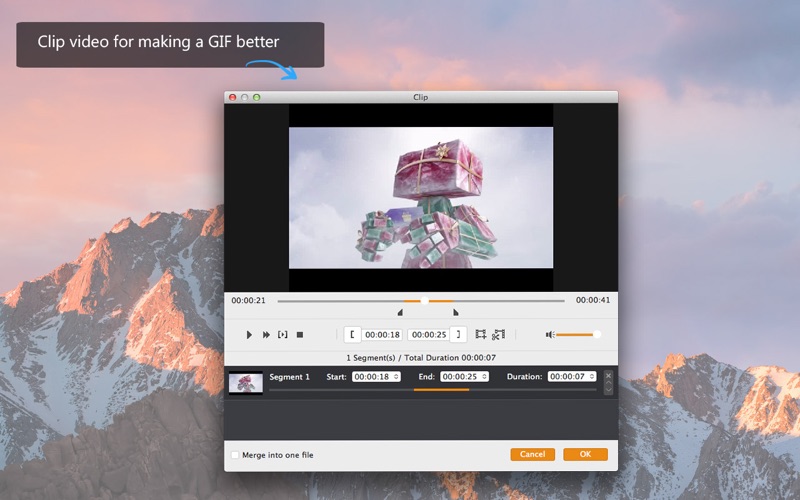
2. Clip videos for better GIF images
With this GIF Creator, you can decide video length and clip the segments from videos. So that better GIFs will be made.
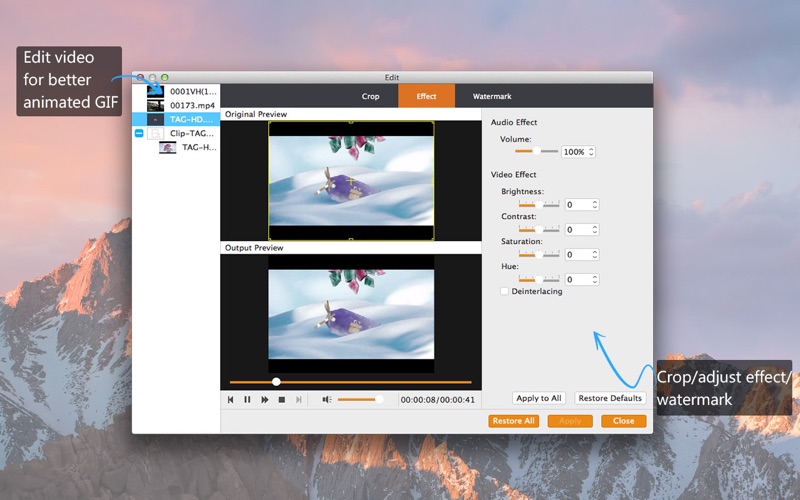
3. Edit videos before creating GIF
With this gif generator, first, you can trim/crop video frames. Second, support adding text or add watermark to your video. Third, merge multiple video files before saving the GIF images. And you can also customize the video by adjusting video effects (brightness, contrast, hue, saturation) and make your GIF more stylish. So you don’t have to worry about the quality of outputted GIF images.
4. Make GIFs from videos downloaded off famous video websites
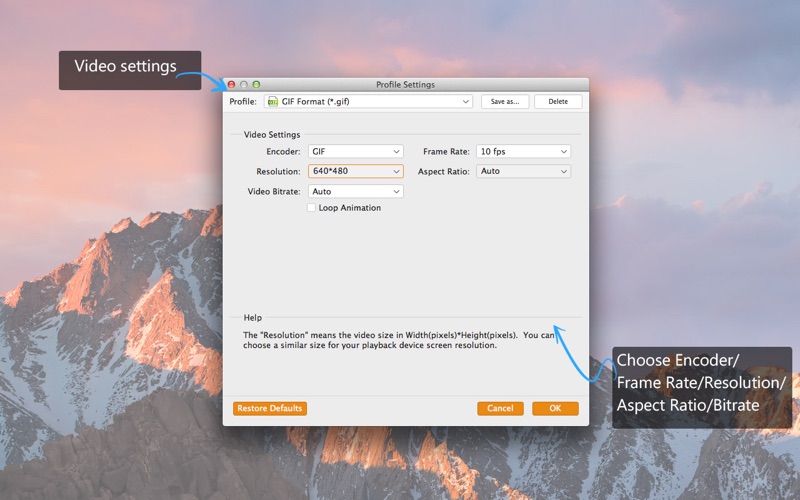
You may download some videos from online video sites, (for example, Facebook. )And you want to make GIF animations out of those videos. You can not only convert these videos to GIFs, but also adjust quality settings before outputting them.
5. Create a GIF with high quality and 100% safety
It is a GIF generator program which can assist you to convert a video into a GIF animation with easy steps in few minutes. Compare with the online or free GIF maker, this GIF creator let you make GIFs anytime and anywhere without internet limitation, also it can convert videos to GIF more quickly and with higher quality compared to free GIF creators.
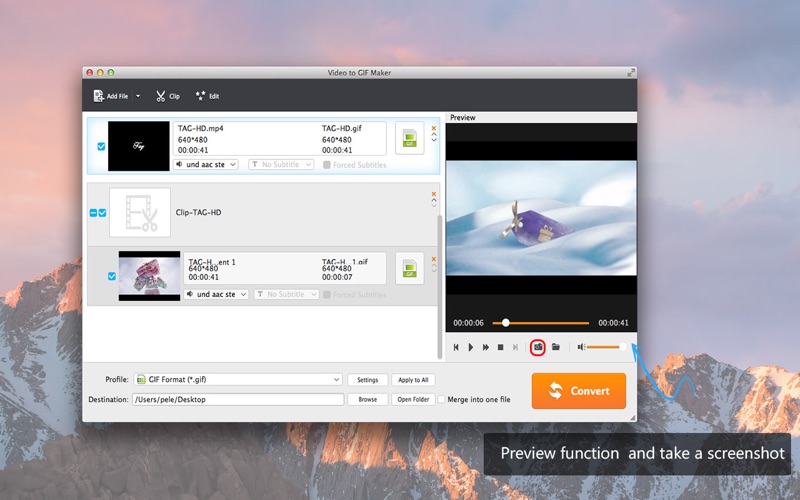
Step by Step to Tell You How to Make a GIF from A Video (Take MP4 Video for Example)
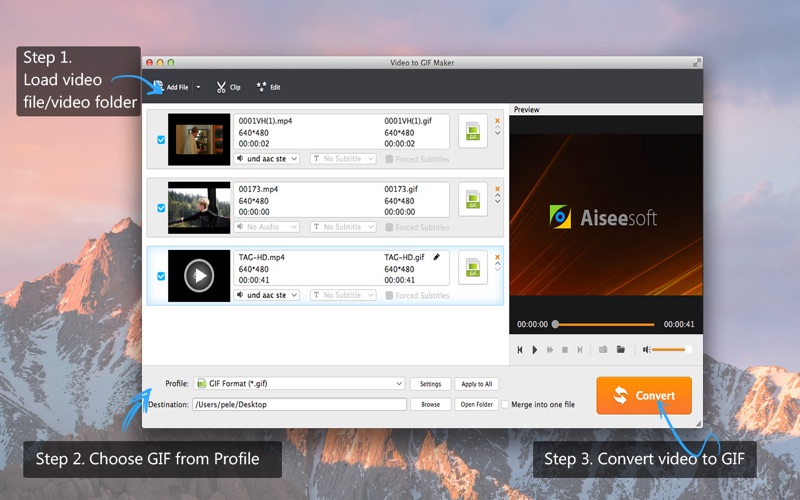
Step 1: Download and install this GIF maker app to your Mac;
Step 2: Launch this software and load your target MP4 videos by click "Add File";
Step 3: Click "Profile" button to choose “.gif” output profile;
Step 4: Tap “Clip” and “Edit” to make your output GIFs better;
Step 5: Left click "Convert" button to convert MP4 to GIF.
If you have any questions or suggestions, please contact [email protected], you'll get a response within 24 hours.
**********************************
Top Recommended:
Video Converter Platinum:
Video Converter Platinum is the Fastest Video Converter with the highest output quality. It allows you to rip homemade DVD to MP4/MOV/WMV and more videos, and also convert any 4K UHD and 1080p HD and even SD video/audio formats to perfectly fit many more devices with ultra-fast speed and zero video quality loss.
DVD Ripper Pro:
DVD Ripper Pro helps you rip and convert home-made DVD to MP4, MKV, MOV, AVI, WMV, FLV, 3GP, and other video formats so that you can enjoy the DVD movies on more Media Players. Also you can use this Mac DVD Ripping software to upscale DVD movies to HD or 4K resolution for better image quality. As an Audio Extractor, this DVD Ripper allows you to convert DVD to MP3, FLAC, ALAC, M4A, WMA, WAV, etc.