
123 Calendar
View events, swipe to zoom, track schedule
Jormy Pty Ltd
iPhone Screenshots


Description
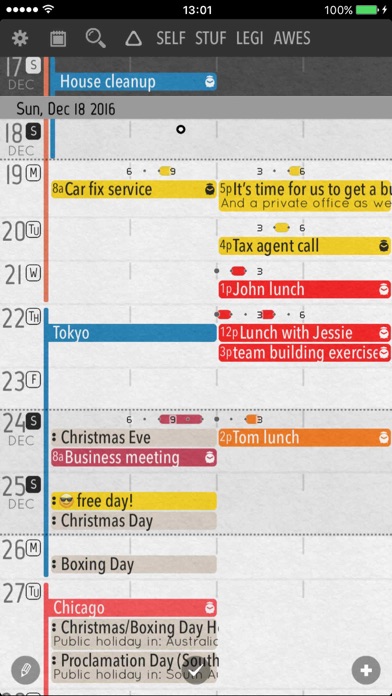
View weekly events in a single screen. Swipe left/right to zoom in or out between week and compressed views. See daily schedules above each line. Add, move, copy, or delete events easily. Assign custom colors or shading to events.
This simple calendar app lets you see all your week's event in one view.
With a simple left/right swipe, you can zoom in/out from the week view into a more compressed view. Three levels of zoom!
No need to zoom into the day, since the day's schedule is on top of every line.
Multiple day events are clearly visible without repeating itself.
Adding, moving, copying and deleting events are super simple.
You can assign custom colors / shading to events too!
You can create filters which automatically highlights certain events based on keywords.
The search interface highlights the events, allowing you to view your results in context.
You can assign the calendars into groups and quickly hide/show or fade them.
The topbar lets you highlight events matching the filters, or those belonging to certain groups.
Best of all, this app is free. It won't nag you about upgrading to full version until after you used it plenty.
No intrusive ads either!