
RICOH Printer
Print, copy, scan, and manage settings remotely
RICOH COMPANY,LTD.
iPhone Screenshots


Description
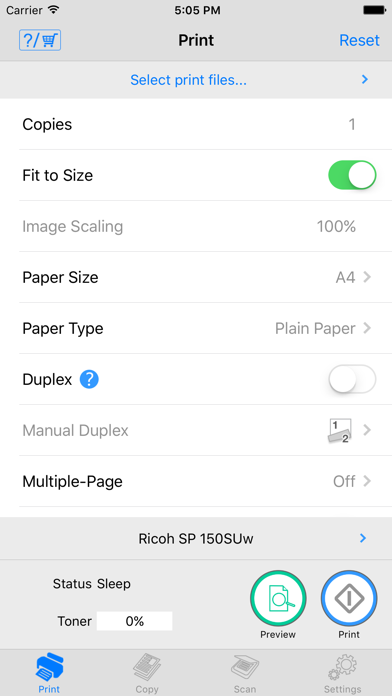
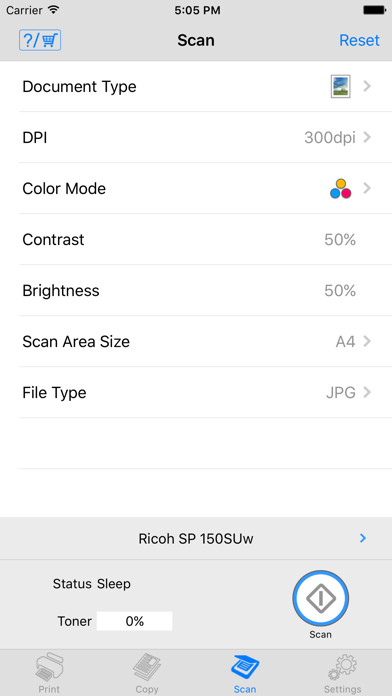
Print, copy, and scan documents and photos from smart devices. Adjust settings and view status. Select resolution and paper size for copying. Save scanned files as PDF or JPEG on a smartphone. Print directly from mobile devices.
Description
Features of Ricoh Printer
- Ricoh Printer allows users to do Print, Copy, Scan, change settings, and see status of the printer from smart devices.
Copy function
- You can execute Copy by selecting parameters such as resolution and paper size.
Scan function
- You can select parameters such as resolution and save scanned file to your smart phone.
- The files that are scanned with a MFP can be saved in you smart phone in PDF or JPEG file.
Print function
- You can print photos and documents stored in your smart phone
- Documents and photos in your smart phone can be printed from a MFP
- You can select parameters such as paper size and print density and print photos in JPEG, PNG, BMP format and files in TXT, PDF format.
Machine Settings
- You can set Wi-Fi, IP address, and also access point using Soft AP mode
- You can change password and sleep time.
Languages: Japanese, English, Arabic, Catalan, Czech, Danish, Dutch, Finnish, French, German, Greek, Hungarian, Italian, Norwegian, Polish, Portuguese, Brazilian Portuguese, Russian, Simplified Chinese, Spanish, Swedish, Thai, Traditional Chinese, Turkish, Vietnamese, Indonesian, Hindi, Urdu, Bengali