Haseba Calculator
Calculate, voice input, copy, paste
Ahmad Almazeedi
iPhone Screenshots




Description
Perform calculations using a scientific or voice input. Access calculation history by swiping down. Copy and paste values. Switch between light and dark themes. Enable larger buttons for easier use.
While building Haseba, we focused most of our energy on the user interface. We think that the key to any great app is a beautiful, and simple design that works seamlessly with the app's features.
• Scientific Calculator
• Voice Calculator
• History (Swipe down in the display area)
• Copy and Paste
• Dynamic Light / Dark Themes (and icons)
• Larger Buttons Option
• Available on Apple Watch
Memory Slots
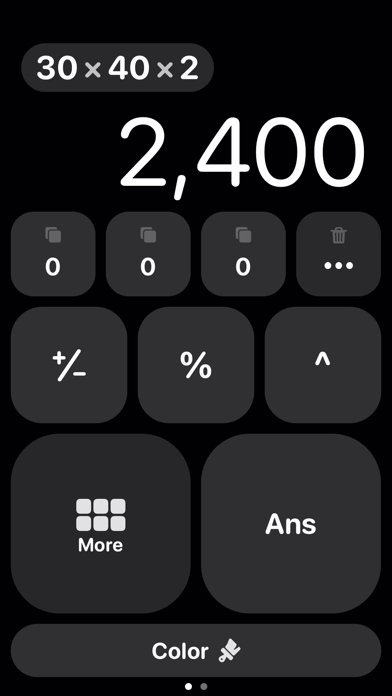
• Save a value inside one of 11 memory slots to use them in calculations later
• A value may be the result of a previous calculation, or pasted from the clipboard into a memory slot
• The process to store a value in a memory slot is very easy and fast, just drag down a memory slot
• Copy memory slot value to clipboard
• After having a set of occupied memory slots, you can apply one of six different operations on them in one tap: sum, average, product, median, max, min, of the occupied memory slots.
___________________________________________
Terms & Privacy: https://bit.ly/haseba-terms-privacy
Need help or have questions? Reach out to us at [email protected]