
Cinematic Video Effects
Apply filters, adjust colors, edit videos
Valentino Frati
iPhone Screenshots


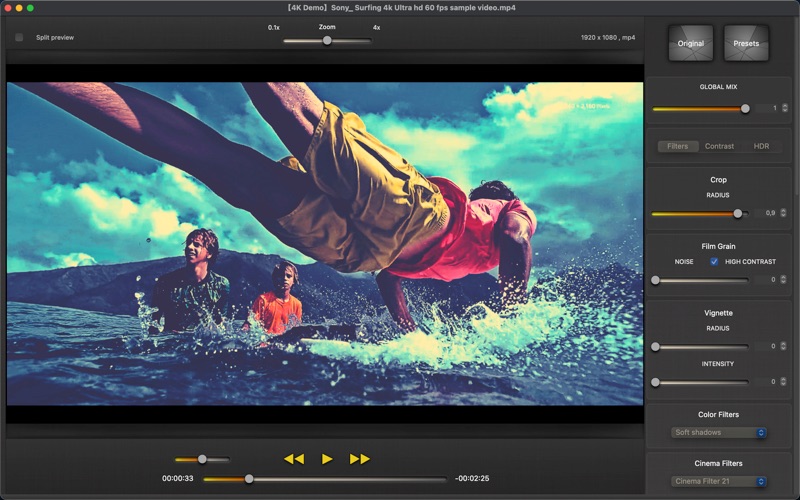


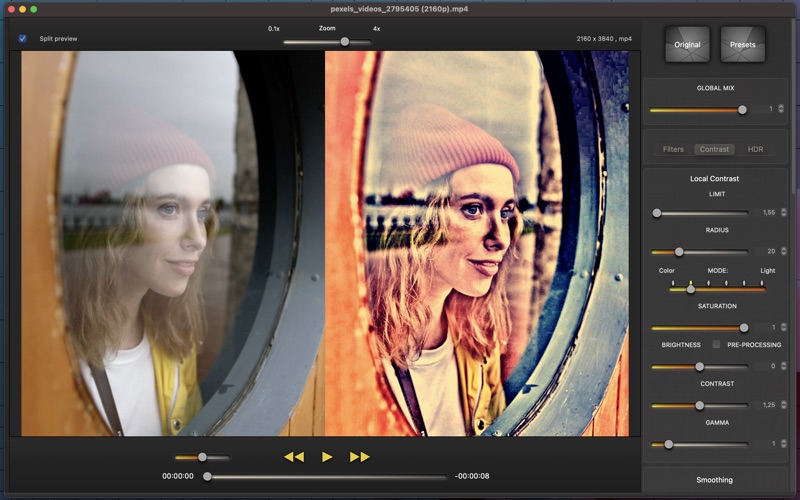

Description
Apply with customizable filters and color adjustments. Adjust details and styles using flexible algorithms. Import videos in MOV, MP4, M4V, HEVC, Apple ProRes, and AVI formats. Combine multiple filters to create original visual styles.
Cinematic Video Effects lets you give a cinematic, colorful and original look to all your videos. You don't need to use complex tasks, you can achieve a professional style in a simple way.
Combine multiple filters, change color styles and variations with a powerful set of controls and a flexible algorithm.
Features:
-Supports all macOS/iOS video formats: MOV, MP4, M4V, HEVC, Apple ProRes and AVI with supported codecs.
-High level of customization and flexible algorithms: emphasize details, local contrast, vibrancy, dynamics, saturation.
-Control local contrast and give a cinematic look to your videos.
-Transform your videos with soft shadows or high lights.
-Different modes of contrast and vibrancy.
-Mix multiple techniques like HDR and CLAHE.
-Convert video to HDR and exalt lights and colors.
-Lots of color variations and color styles that you can combine and mix.
-You can create dramatic black and white effects or vibrant tones.
-More than 200 filters ready to use: Color Filters, Cinema Filters, Light Filters, Color Variations, Black & White...
-Post-processing with all the needed controls: Brightness, Exposure, Saturation, Gamma, Vibrancy...
-18 presets, Soft, Cinema Look, Cinema Effect, Intense, Black & White...
-You can save your own presets, all changes will always be ready to use.
-25/30 fps 720p/1080p real-time preview.
-Save videos with slow-motion and time-lapse effects.
Metal capable GPU required.
Please report bugs or send requests to: [email protected] .