
iPhone Screenshots

Description
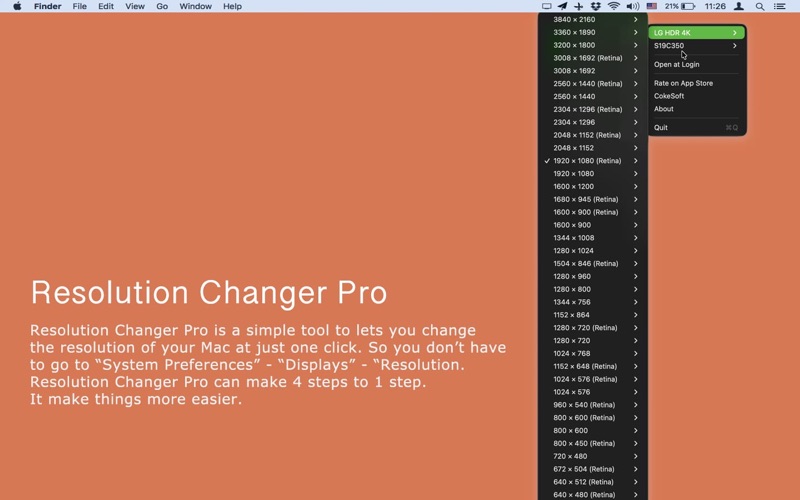
Resolution Changer Pro lets you switch your Mac's display resolution right from the menu bar — no more digging through System Settings. Change resolution in a single click instead of several steps, so you can get on with your work faster.
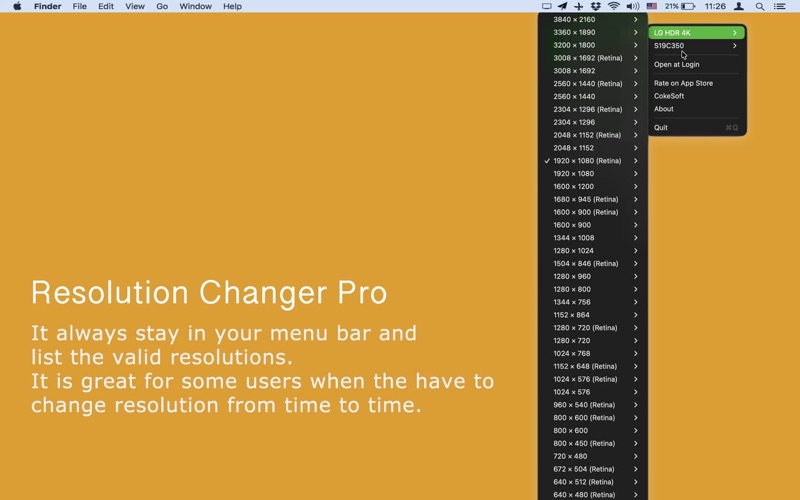
A small, always-available menu bar icon lists every valid resolution your display supports. Just click the one you want and the change happens instantly.
Built for real-world display setups:
- Full list of supported resolutions, including Retina (HiDPI) modes — clearly labeled so you always know what you're choosing.
- Refresh rates grouped under each resolution, so 60 Hz and 120 Hz are easy to tell apart and select.
- Multiple monitors are each given their own submenu, so you can set the right resolution on the right screen without confusion.
- The resolution you're currently using is checked, so you always know where you stand.
- The menu refreshes automatically every time you open it — plug in a new display or change resolution elsewhere, and it's reflected immediately.
Features:
- One-click resolution switching.
- Stays in the menu bar, out of your way.
- Supports Retina/HiDPI modes and multiple displays.
- Optionally launch at login.
- Available in multiple languages.
It's ideal if you switch resolutions from time to time — for presentations, connecting to a projector or external monitor, or simply finding the setting that's most comfortable for your eyes.
Bug Fix & Feature Request
If you have any problem, please email us at [email protected].
We will fix bugs and add features for you as soon as possible.