
Timelogger Plus: Hours tracker
Track time across devices securely
Filipe Martins
iPhone Screenshots



Description
Track time with stopwatches for tasks. Set daily, weekly, or monthly goals. Sync across iPhone, Apple Watch, iPad, and Mac via iCloud. Generate reports to monitor progress and manage schedules efficiently.
Timelogger Plus is a time tracking app that allows you to actively manage and monitor various tasks on your iPhone, Apple Watch, iPad, and Mac securely and updated across all devices using iCloud. It is ideal for freelancing, repetitive daily routines, homemaking tasks, personal projects, or any activity people want to track and control.
Timelogger Plus lets you:
▪ Record time using stopwatches;
▪ Define Daily, Weekly, or Monthly Goals;
▪ Synchronize between devices using iCloud;
▪ Generate PDF reports from custom intervals;
▪ Input time manually;
▪ Have multiple stopwatches active;
▪ Set Home Screen Widgets for ease to use;
▪ Set Lock Screen Widgets for ease to use;
▪ Use the Split View on the iPad for ease to use;
▪ Use the Stage Manager on the iPad for ease to use;
▪ Integrate with the Shortcuts application;
▪ Define hourly rates for your tasks;
▪ Define hourly rates for your folders;
▪ Export your entries to CSV;
▪ Create notes;
▪ Create billing notes;
▪ Use Context actions for ease to use;
▪ Add Tags to your Tasks, Entries, or Notes;
▪ Generate Manual backups;
▪ Archive Folders, Tasks, Entries, or Notes;
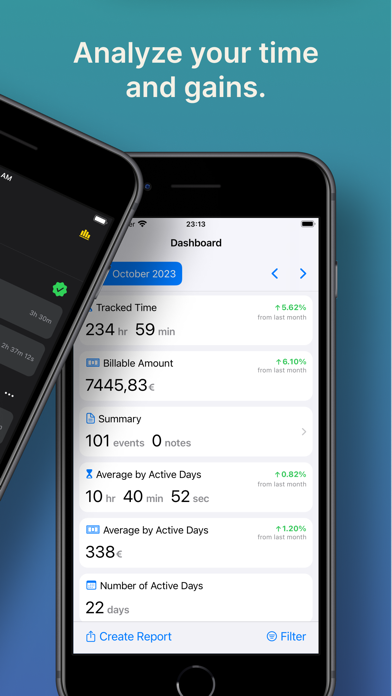
▪ Analyze your data through a Dashboard;
▪ Choose any Color for your Tasks and Folders;
▪ Filter by Folders or Tasks on the Dashboard views;
▪ Schedule notifications for running stopwatches;
▪ Change to Light or Dark mode;
If you have a question, problem, or need help, please send a support request via e-mail.
Terms of Use: https://www.apple.com/legal/internet-services/itunes/dev/stdeula/