
iPhone Screenshots


Description
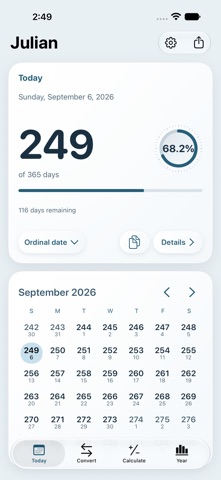
Displays 11 date formats including CCSDS Date, Dublin Date, and Unix Time. It features a calendar to view daily . Tapping a date copies it to the clipboard for use in other apps.
Julian makes it simple to find any day of the year, convert dates, and understand your year at a glance on iPhone, iPad, and Apple Watch.
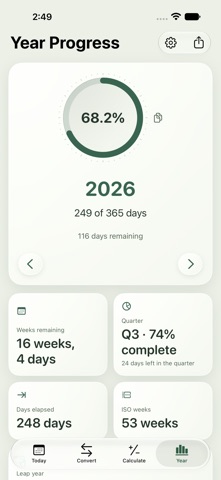
Browse the calendar to explore past and future dates, or enter a day number to jump straight to the matching date. Choose the date format you prefer and instantly see the day of the year, year progress, days remaining, week number, and current quarter.
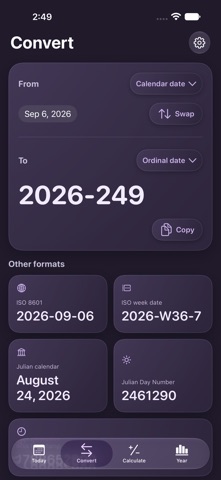
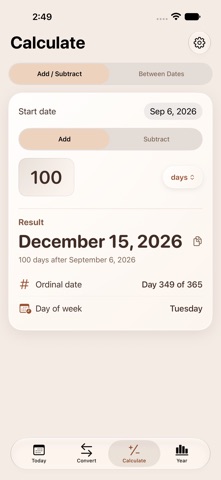
Convert between calendar dates, ordinal dates, ISO 8601 dates, ISO week dates, Julian calendar dates, Julian Day Numbers, and Unix timestamps. Add or subtract days, weeks, months, or years, or calculate the exact time between two dates.
Julian supports a wide range of astronomical and time counting systems, including CCSDS Julian Date, CNES Julian Date, Dublin Julian Date, Lilian Date, Mars Sol Date, Modified Julian Date, Rata Die, Reduced Julian Date, Truncated Julian Date, and Unix Time.
Copy any date value with a tap, or copy and share a complete date summary. Save your favorite formats for fast access whenever you need them.
Keep important date information visible with Home Screen and Lock Screen widgets. Customize their layout, colors, and content. Larger widgets can show additional date values and calendar views without opening the app.
On Apple Watch, quickly view yesterday, today, and tomorrow, look up any day of the year, and choose complications that match your watch face.
Use Siri to retrieve date values and check your year progress. Add Julian actions to Shortcuts to convert dates, perform calculations, copy results, and open detailed date information.
Personalize Julian with seven color themes, alternate app icons, and System, Light, or Dark appearance. Set your preferred first day of the week and choose which month begins your first quarter.
For an instant glance, enable the optional app icon badge to show the current day of the year. Badge updates are silent and do not create banners or sounds. Notification permission is required.