
Inspect - View TLS certificate
SSL certificates and export data
Tao Xu
iPhone Screenshots



Description
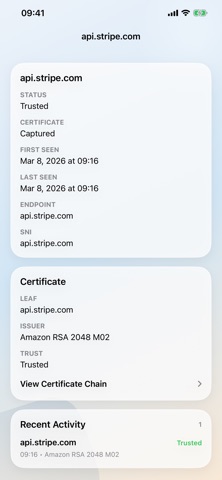
Websites' SSL certificates and X509 details. Export selected certificates. Copy or input HTTPS URLs manually. website security ratings. Access shortcut to SSLLabs scan. Track recent lookup history. Detect potential MITM risks.
Inspect lets you inspect a site's TLS certificate chain on iPhone and iPad. Paste a host name or HTTPS URL, review trust state, protocol, certificate chain, and security signals, then export any certificate in the chain.
Features:
- Inspect live TLS certificate chains
- Review trust status, protocol, validity, SANs, key usage, fingerprints, and extensions
- Surface risky signals like expired certificates, weak algorithms, broken chain linkage, and possible interception products
- Browse every certificate in the presented chain
- Export DER certificates for sharing or debugging
- Inspect the current page in Safari with the Safari extension
- Inspect shared URLs and page data from other apps with the action extension
- Check Live Monitor status from the Home Screen widget