
MagicResize
Batch resize photos and remove originals
Yoshinobu Sonoda
iPhone Screenshots
Description
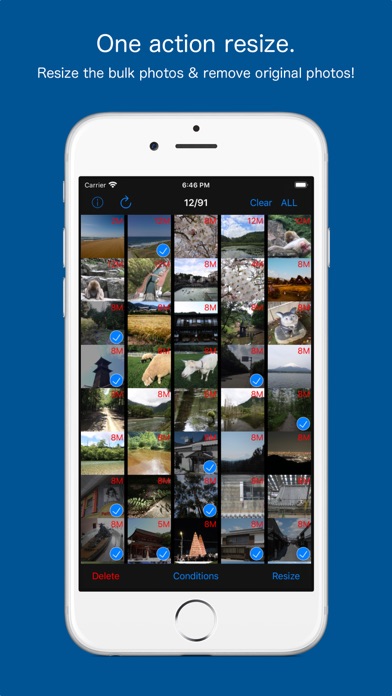
Batch resize multiple photos with one action. Remove bulk original photos simultaneously. Search for photos by date or category. Preview resized photos in the list. Integrate with favorite camera apps for seamless photo management.
One-action operation, batch resize multiple photos!
Also it is to be able to remove bulk original photo at the same time!
Savings capacity of the device is also easy.
The camera app, you can use your favorite apps.
After you have taken with your favorite camera app, collectively, you can batch resize.
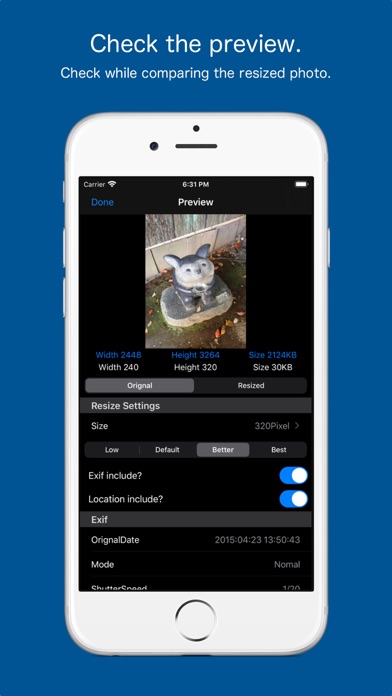
Press and hold a photo in Photo List preview screen is displayed, you can check the photo after resizing.
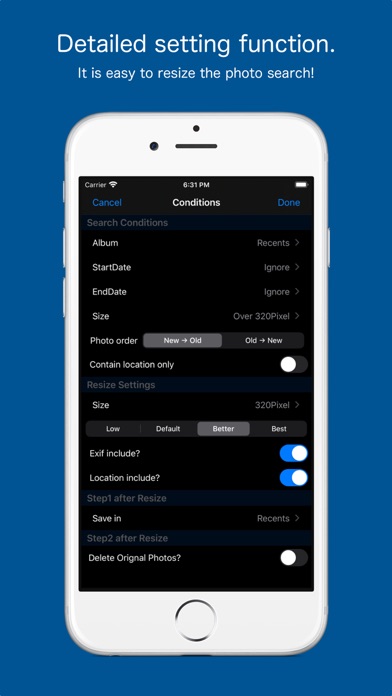
In search feature, and photos taken today, you can find easily, such as photos of more than 800 million pixels.
You can leave the Exif in the resized photo, and you can delete.
Delete location information is also possible.
The deleted photos, has been moved to the "Recently Deleted" of the "Photos app".
You can restore from a photo app be deleted by mistake.
If you want to remove completely, please delete in the Photos app.