
Track Snippets
Create audio and export in multiple formats
Aaron Hunt
iPhone Screenshots

Description
Create audio from tracks with precise editing tools. Import multiple audio formats. Export in .wav, .mp3, .ogg, and .m4r. Trim, split, and adjust audio segments. Prepare ringtone files for iPhone.
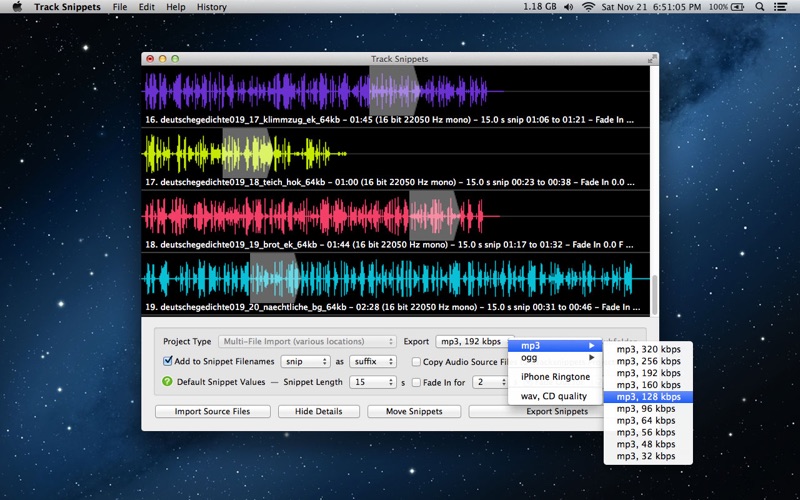
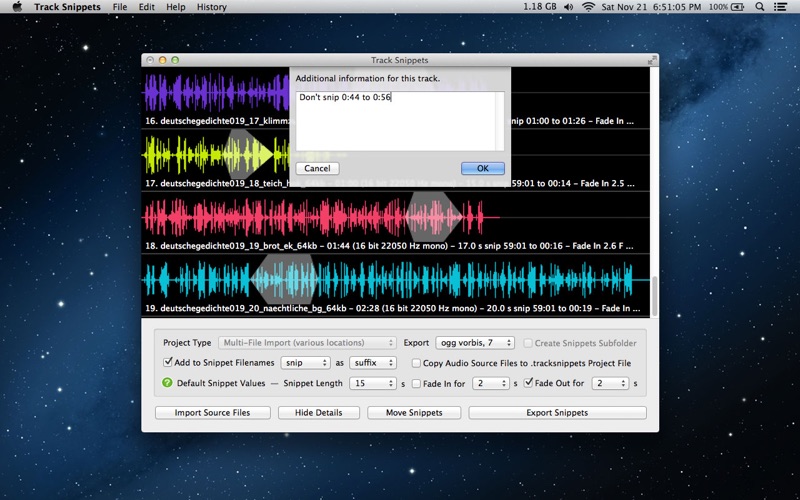
Track Snippets lets you create these previews from your audio tracks, fast. It imports a wide variety of audio formats, gives you exactly and only the tools you need to prepare your snippets, and exports .wav, .mp3 (in a wide range of bit rates), .ogg, and the iPhone ringtone format, .m4r. Tedious work that would normally take hours with conventional DAW software can be pleasantly done in a matter of minutes with Track Snippets.
+ import a variety of audio formats (for FLAC, you must install the open source tool)
+ import files from a single folder or from a variety of locations
+ your source files are internally duplicated and converted (not altered)
+ add a prefix or suffix to the names of your exported snippets
+ select default snippet length, fade-in length, fade-out length, and export format
+ edit snippets in a variety of ways - using the mouse, mouse wheel, trackpad, and/or keyboard
+ listen to each snippet playback, and preview the quality of .mp3 converted snippets
+ export in .mp3, .wav, .ogg, and iPhone Ringtone .m4r formats, to a folder of your choosing
+ save your projects
+ built-in automatic and menu-optional bug reporting in case there are any problems
+ feature request menu option to share your ideas for improving the software