
iPhone Screenshots


Description
Where did your time go today?
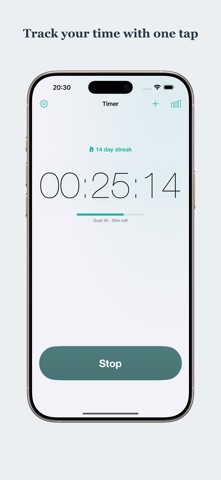
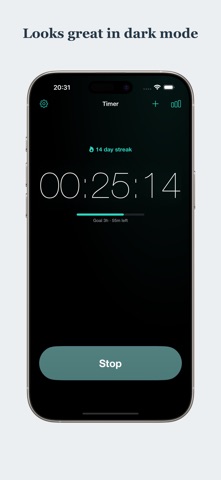
Time Manage is the simplest way to answer that question. It works with just two taps: start to begin timing, stop when you're done. Study, work, workouts—track any activity the moment you start it.
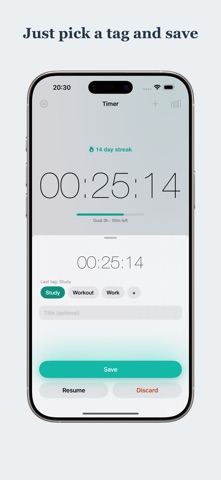
Unlike full-blown time-tracking tools, there are no projects to configure and no mandatory setup. When you save, just pick a tag like Study, Work, or Workout—your last tag is already selected, so repeating an activity is a single tap. Tags are always optional; Time Manage does the rest.
SEE WHERE YOUR TIME GOES
- A pie chart breaks your time down by tag, so you finally know how you spend your days
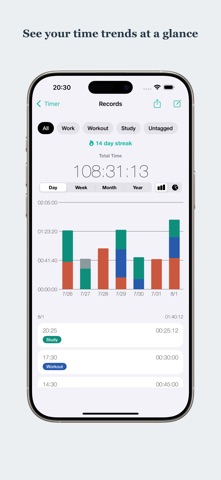
- A daily bar chart shows how your hours stack up, tag by tag
- Check today's total and your all-time total at a glance
BUILD A DAILY HABIT
- A streak counter shows how many days in a row you've tracked—keep it alive!
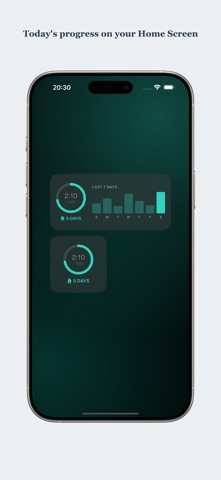
- A Home Screen widget puts today's total and your current streak right where you'll see them
- While the timer runs, your elapsed time appears live on the Lock Screen and in the Dynamic Island (Live Activity)—no need to open the app
- An optional, gentle evening reminder only when your streak is about to break
- Set a daily goal and the widget, Lock Screen, and notifications all show how much is left (entirely optional)
- Catch a timer you forgot to stop: when a session runs far longer than usual, one tap trims it to your typical length
SIMPLE AND YOURS
- Fully offline and private—no account, no sign-up
- Multiple color themes with matching app icons
Perfect for studying, deep work, focus sessions, workouts, and building better habits one day at a time.
Track your time. See your day. Keep your streak going with Time Manage.