
My Heart Rate Monitor: BPM
Measure and view chart
Atthaporn Chanprakon
iPhone Screenshots




Description
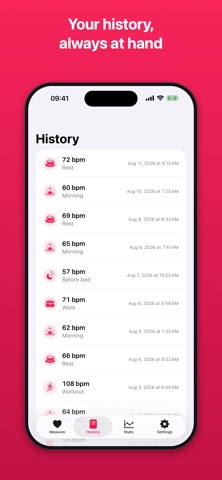
Measure by placing a finger on the iPhone’s camera. View overview charts and tags for each measurement. History records data over time.
Measure your heart rate in seconds. No extra hardware, just your iPhone.
Place the tip of your index finger over the rear camera and flash. The app reads the tiny colour changes in your fingertip and shows your pulse live on screen, then saves it to your history with one tap.
WHAT YOU GET
• Fast measurement. Watch your pulse waveform and BPM update in real time.
• Activity tags. Label each reading as Morning, Rest, Workout, Relax, Work, Tired, or Before bed.
• History. Every saved measurement in one clean list.
• Trends. Your lowest, average, and highest readings at a glance, plus charts of your recent measurements and your average by activity.
• Voice guidance. Spoken instructions, countdown, and result, so you can hold still and keep your finger in place.
• Daily reminder. An optional nudge to check in at the same time each day.
• Dark mode, and a layout built for every current iPhone and iPad.
• Your measurements stay on your device.
HEART RATE PRO
One purchase, forever: unlimited measurements and no ads. No subscription, no renewals. Already bought Pro in an earlier version? Tap Restore Purchases in Settings.
IMPORTANT
This app gives a rough estimate for general wellness only. It is not a medical device and is not intended to diagnose, treat, or monitor any medical condition. If you have any health concerns, consult a doctor and use professional equipment for accurate results.