Teaches children to draw with simple, colorful images. Includes step-by-step drawing guides. Allows kids to create their own artwork. Features interactive lessons and printable worksheets for parents to use as references.
by 路霞 代★ 4.323 ratingsEducationFreeData updated 2026-09-10
Teaches children through interactive -themed content. Includes lessons on fruits, vegetables, and animals. Features role- with Juana, a friendly character. Encourages polite phrases like "Please" and "Thank you.
Teaches basic through interactive multiple choice questions. Allows children to progress at their own pace or play timed challenges. Features a simple, child-friendly interface for young learners.
Learn through step-by-step tutorials covering letters and words. Practice with interactive exercises and quizzes. View progress and review lessons for reinforcement.
Teaches practices for beginners focusing on Twelver Islam. Includes step-by-step guides, audio recitations, and visual demonstrations. Allows users to track progress and access times based on location.
Solve problems by snapping photos or uploading images. Get detailed, accurate solutions for chemistry, physics, biology, and astronomy. Access explanations, step-by-step guides, and interactive diagrams to enhance understanding.
Teaches children to play with interactive lessons. Allows selection of skins and sounds. Includes fun graphics and themed songs. Enables playback of Do Re Mi Fa Sol La Ti notes. Offers engaging musical activities for kids.
Students access literacy lessons, games, songs, and videos to practice reading and writing skills. Track progress through interactive activities and animated characters. Parents monitor through a separate .
Create art with customizable neon effects and vibrant color palettes. Draw freehand or use pre-designed templates. Add text and stickers. Save and share creations. Integrate with classroom tools for educational activities.
Teaches children Quranic rulings and helps memorize through educational videos. Shows correct Quran reading method. Includes interactive lessons and progress tracking. Allows parents to monitor learning activities. Supports multiple languages.
Teach children to write uppercase letters through interactive tracing and animations. Features include three design options, finger dragging for letter practice, and colorful painting tools. Includes letter recognition and writing exercises.
Solve problems with step-by-step guidance. Track progress over time. Access interactive lessons and quizzes. Receive instant feedback on answers. Share results with teachers or parents.
Teaches children wudhu and salah through interactive lessons and illustrations. Includes step-by-step guides, animations, and audio instructions. Allows users to practice rituals and review procedures with visual aids.
Teaches through interactive lessons and printable PDF worksheets. Students practice letter sounds, blending, and word building. Parents or teachers can print activities for offline use.
Teaches preschoolers logic, attention, and vocabulary through interactive puzzles. Features everyday objects and simple transport elements. Includes English voice pronunciation for each puzzle piece.
Teaches counting, addition, subtraction, and place value. Includes number writing exercises and drills. Features interactive activities and progress tracking. Supports classroom use with purchase options.
Take photos of homework or notes to get step-by-step explanations. Ask questions about academic subjects and receive detailed answers. Access study guides, practice problems, and interactive lessons. Track progress and set learning goals.
Organizes English grammar content and shares grammar tips periodically. Features simple, clean interface for easy navigation. Allows users to access structured lessons and practice exercises.
Teaches sentence structure interactive activities. Practice verb tenses and sentence formation. Includes colorful illustrations and 266 exercises. Supports language development for ages 2-6. Tracks progress and provides feedback.
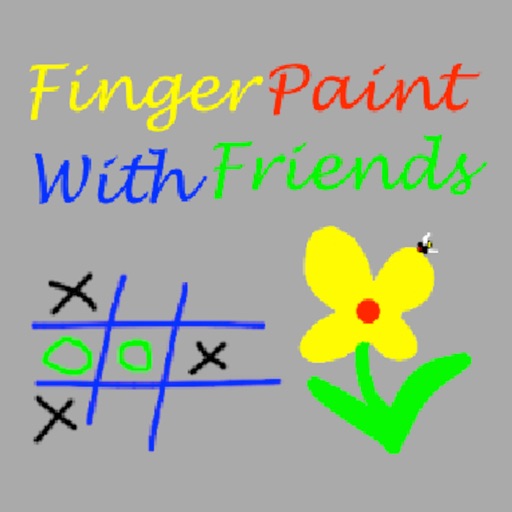
The app allows users to draw with their finger on an iPhone, iPad, or iPod Touch. Users can select from 6 colors and 5 line sizes, and connect two devices to share a drawing screen with a friend.
With audio pronunciation and stroke order practice. Practice writing with visual guides and basic vocabulary illustrations. Use rhyming songs and colorful images to reinforce memory.